A Beginner’s Guide To Creating A WordPress Website

Email Newsletter
Weekly tips on front-end & UX.
Trusted by 200,000+ folks.


 Flexible CMS. Headless & API 1st

2017 WordPress passed the 27% mark, running more than a quarter of all websites — and for good reason. It has a loyal user base and scores of dedicated developers who bring better features to the system year round.
This article is for those of you who either are new to WordPress or are regular users who want to learn about the best way to run a WordPress website. We’ll be learning about working with domains, installing WordPress, managing content and using great plugins and themes to secure our website and make our content shine.
I want to stress the same thing as I do when writing code-heavy articles: If you don’t understand everything here fully, don’t sweat it! Nothing is particularly difficult, but there is a lot to take in. We’ve all been there, we’ve all been confused by this stuff before. Don’t be afraid to get your feet wet and experiment; that’s how all of us learn about WordPress!
Table Of Contents
This article will be quite lengthy, so I thought it would be easier for you to see what we’ll be talking about in advance. If you already know about some of these, use it as navigation to skip to the parts you’re interested in.
- All about domain names
- Choosing a hosting package
- Setting up a domain
- Installing WordPress
- A note about WordPress
- Choosing a theme and plugins
- Essential plugins
- Keeping WordPress secure
- Essential pages
- Website analytics
All About Domain Names
The domain name identifies your website to users. Smashing Magazine’s domain name is smashingmagazine.com. The domain name shouldn’t be confused with the URL — domain names are a part of URLs.
To further our understanding, let’s analyze a URL that has all components and see what’s what.
https://www.blog.mywebsite.com:80/post/awesomeness.php?edit=false&view=true#comment-5
This URL has five distinct parts:
https://is the protocol that tells browsers how to retrieve data. Some well-known ones arehttp,httpsandftp.blog.is a subdomain that allows you to segment your website into different bits and pieces. You could usemywebsite.com/blog/as well; it really depends on what you’re trying to achieve.mywebsite.comis the domain name. Thewww(which comes before the subdomain, if any) is optional; you’ll need to decide on that. For the most part, it’s a matter of preference, but it can have an impact on large websites. The end of the domain name (in this case,.com) is called a top-level domain (TLD). Others are.netand.org, country-specific ones such as.co.uk,.huand.meand brand new ones like.xyz,.newsand.media.80is the port number used to gain access to the resource on the server. This is80for HTTP and443for HTTPS, by default, which is why you can omit it in URLs. Ports are most often seen in local development environments./post/awesomeness.phpis the path to the resource on the server. In this case, there may well be a folder namedarticlesand a file namedawesomeness.php, but the path doesn’t necessarily point to an actual file on the server. More often than not, the server and/or the code will figure out what you need based on the URL, rather than the URL linking to an actual file.?edit=false&view=trueare parameters — two of them, actually. The first key-value parameter is preceded by a question mark; all subsequent pairs are preceded by ampersands. The server-side code picks up on these values, and the values can be used to modify views or save data, for example.#comment-5is an anchor that can be used to take the user to a specific place on the page right away. If you visit the link above, you will be taken lower down on the page to a specific comment.
If you don’t understand all of that, don’t worry about it; a lot of this isn’t relevant in everyday use. The only part you’ll need to focus on is the domain name because this is how users will refer to your website.
Choosing The Right Name
Choosing a domain name might be difficult, especially considering that the top tips for domains always include keeping it short and easy to type. If you already have a brand consisting of proper English words — like “Vintage Shoes” — then the domain name will probably already be taken.
You can find all sorts of tips on choosing a domain name, but it almost always boils down to keeping it short and memorable. This is definitely good advice, but always have a brand strategy in mind as well.
Smashing Magazine has a long-ish domain name, yet it is unlikely that much traffic is lost due to this — or that more could be gained by switching to smashingmag.com. Branding is, ultimately, the most important factor. A short and sweet domain name is great, but in the end, what you do with it is what counts.
One last note of caution: Make sure not to infringe on any copyrights with your domain name. Nolo has a good read on avoiding trademark infringement when choosing a domain.
Buying A Domain Name
Most of the places where you can buy a domain name also allow you to grab hosting. As a rule of thumb for security, keep your domain and hosting separate.
I have to confess that I don’t always do that, for convenience’s sake, but the rationale is this: If someone can get into your hosting account, then they can steal files and data. If your domain is registered in the same place, then they could potentially transfer the domain away, leaving you with nothing.
If this is your first project, I suggest buying a domain name with the hosting provider you’ll be using (see further below for hosting tips). It will make the process easier, and you can always transfer the domain to another company if needed.
Most hosts have an easy interface for buying domain names: Just search for something and follow the on-screen instructions. When buying a domain, keep two things in mind.
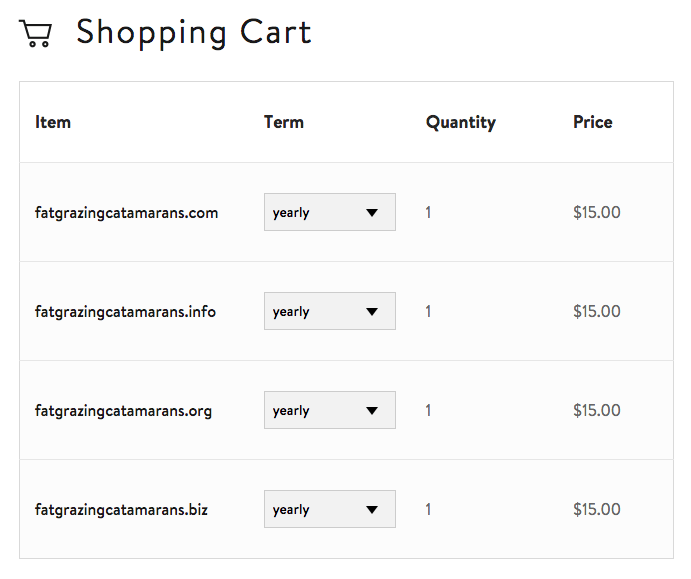
If you’re serious about branding and you have the funds, you might want to buy a number of TLDs with the same name. That is, if you are registering mydomain.com, then you might want to buy the .net, .org, .info and the local version as well (such as .co.uk).
You will also have the option to choose the length of your registration, the default being one year. There has been some debate and uncertainty about how domain age and registration factor into search engine optimization (SEO). Matt Cutts, a Google engineer, has said, “I wouldn’t worry too much about that,” which probably means you really shouldn’t. Again, if you have the funds, registering for five or six years is a lot more convenient.
The Difference Hosting And Domain Registration
Before moving on, I want to make the distinction between domain registration and hosting very clear. They are two completely separate things; many companies just happen to offer both as a service.
The situation is similar to city parking garages that also offer cars for sale. You could buy a car from one of them and also store your car in their garage, but you could also store your car in another garage because the car is legally yours.
Hosting is essentially a place to put your website’s files. Registering a domain means you’ve gained legal ownership of a piece of Internet real estate.
WordPress.com And WordPress.org
If you’re new to this, you might be confused about the difference between WordPress.com and WordPress.org. To clear this up, let’s start with what WordPress is.
WordPress is an open-source software package and is free to everyone around the world.
WordPress.org is the central location for the WordPress software project. You can download it, view the documentation, ask and answer questions in the forums and more.
WordPress.com is a service that offers websites that run on WordPress. You can sign up for a free account and get a fully functioning website. You will only be able to use a WordPress.com subdomain — such as mywebsite.wordpress.com — but for a first-time user, the restrictions are minimal.
The situation is somewhat similar to digging a water well. In my country, it is fairly common to have water close to ground level, which is great for watering your garden for free and not stressing the municipal water system.
You could dig a well for yourself if you have the machinery and the know-how, but you could also get a professional to do it. You’re not actually paying for the water or the well itself — you’re paying for the service of forming the well.
This is just like WordPress.com. You’re not paying to use WordPress the software. You’re paying for use of a subdomain, file hosting and management of the software (which is kept up to date automatically).
If you want to test the waters and get started with WordPress with minimal fuss, then WordPress.com is a great way to go!
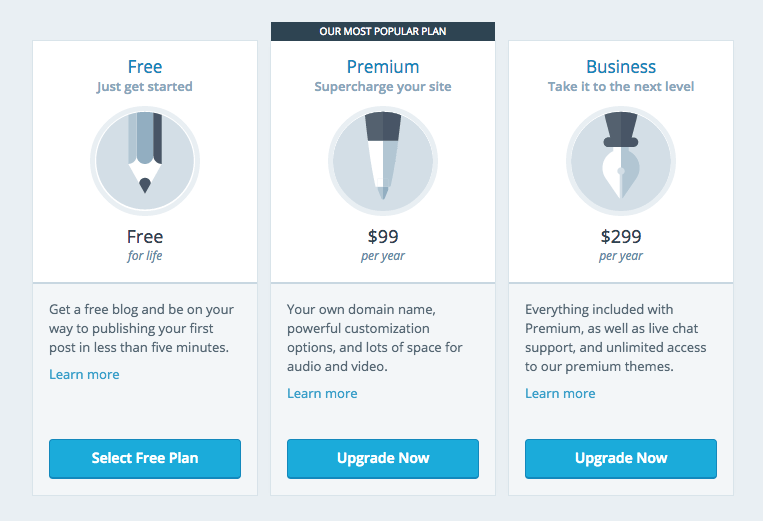
The free version gives you everything you need. When you’re ready to step into the realm of advanced customization, with your own domain name and other options, then you can go for the premium version or get your own hosting plan elsewhere.
Choosing A Hosting Package
Choosing a hosting package can be difficult, even for seasoned veterans of the ’net. In this article, I’ll omit options that are clearly for huge websites or ones with highly customized needs. Switching hosts is easy enough, so you can change at any time.
There are three ways to go if you’re looking for a good package:
- Shared hosting,
- VPS hosting,
- managed WordPress hosting.
The one you pick will depend on your website’s needs and your funds. Let’s look at what these are and their pros and cons.
Shared Hosting
Shared hosting is an attractive option because of economies of scale. A single server can house hundreds of websites, which translates to hundreds of users. A single server is not that expensive to run, so the costs can be split between all users of the server.
Because of this, you will see shared plans for around $5 a month. While this is a great price to get started, there are numerous downsides — the largest of which is the bad-neighbor effect.
Because hundreds of websites are running from the same hardware, what happens if there’s a coding bug in one of them that causes it to use up to 80% of available memory? The remaining websites (which could be hundreds) will grind to a halt and could become unavailable. The same issue arises with security; some attacks aim for a single website and end up affecting all of the other websites on the same server.
This boils down to decreased security and poorer uptime. What’s most frustrating is that these problems are unpredictable.
The only reason to use Shared hosting is if you are on a very tight budget and every dollar counts. It can work just fine, and your website will probably not go down for hours or days on end. Still, your website going down just as a potential client is viewing it could ruin a potential deal.
If you think Shared hosting is for you, then a number of companies are available to choose from. I recommend testing the support services of these companies; with shared hosts, these can be your most important asset.
- Inmotion Hosting,
- MediaTemple
- A Small Orange
- SiteGround
We’ve partnered with InMotion Hosting to bring you a great price on their fast and reliable hosting services. InMotion Hosting provides WordPress for free and is easily installed on any of their plans. Transferring an existing website is also easy! Click here or anywhere that says shared hosting in this article to check out their plans and get started!
VPS Hosting
A virtual private server (or VPS) is similar to a shared environment, without the negative side effects. The hardware is still shared, but usually among a few users only, and the hardware is partitioned equally.
Another account on the same server cannot use up to 80% of the resources. If four accounts are on the server, each one may use only 25% of the assets. This effectively takes care of the unpredictability issues.
Attackers also have much more trouble accessing other accounts on the server through a single website. It is possible in very rare cases, but it is not something you should worry about.
Because you have your own corner of a server, you are free to do more with your account than you can with a shared host. This includes more server administration options, installation of tools, SSH access and more.
While some VPS accounts cost $5, you will generally pay around $15 to $20 per month. If you have the money, then definitely do choose either managed WordPress hosting or a VPS over a shared environment.
VPS gives you the most flexibility out of the bunch. If you plan on trying out other content management systems, such as Joomla, Drupal or Laravel, then managed WordPress hosting is out of the question because it supports only WordPress.
In a nutshell, if you’d like to be able to meddle with your server, install other packages and learn about your server, then go for a VPS.
A bunch of VPS providers are out there. Here are some of the best-reviewed ones:
- Vultr
- MediaTemple
- A Small Orange
- Linode
- SiteGround
Managed WordPress Hosting
Managed WordPress hosting is a bit different because it’s not a different way of using server technology. A managed WordPress package is actually very similar to getting a website from WordPress.com, which itself can be considered a managed WordPress host.
In this case, the server’s entire architecture is tuned to work with WordPress as efficiently as possible. From memory to processors to server software and server-level caching, everything is geared to a single software package: WordPress.
This makes your website a lot faster and more secure as well. Automatic updates, server-level caching and truly professional WordPress-specific support are just some of the benefits of managed WordPress hosting.
The downside is a minor loss of flexibility. You can’t install any other platforms on these systems, and some plugins might be disabled by the host, usually for reasons of security or optimization. In short, you have less leg room than with a VPS. Again, if you’re new to websites, you needn’t worry much about this.
If you don’t want to meddle with server settings and you just need a well-oiled WordPress website that is maintained for you, then this hosting solution is a great option.
You won’t need to muck about with installing WordPress and making sure it is safe, secure and fast; all of that is built right in. You can start creating content within minutes and focus on what really matters.
WordPress hosts are becoming increasingly popular. The best-known and best-rated ones are these:
Setting Up A Domain
By now, you should have a hosting package and a domain name. If you’ve bought a domain through your hosting provider, then you can probably skip this step because it is taken care of automatically.
The domain needs to be pointed to the hosting provider so that when someone accesses it through their browser, they are directed to the appropriate server. This is most often done using nameservers, sometimes referred to as account DNS.
You’ll need to log into the website that you registered your domain with and change the nameservers for the domain. With Media Temple, you can add nameservers using a simple form.
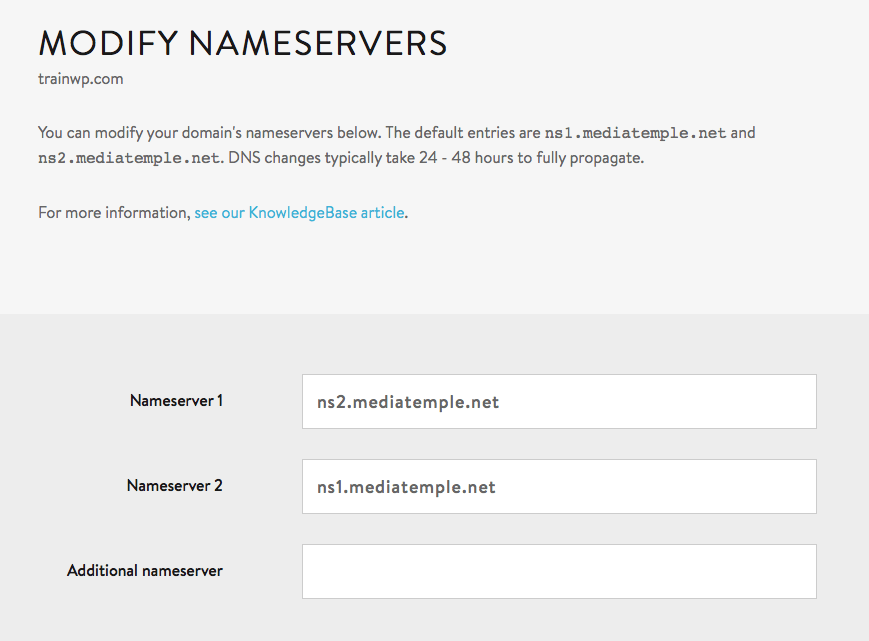
Your host will tell you what nameservers to specify. My SiteGround account has the following information:
ns1.am20.siteground.biz (107.6.152.202)
ns2.am20.siteground.biz (181.224.143.216)
Whenever you change your nameservers, you will have to wait up to 72 hours for them to take effect. The lag will also depend on where you are relative to the server.
I’ve found that if the server is in the US and I’m in Europe, the website will work fine within a couple of hours when viewed from within the US. The changes usually take more time to propagate overseas.
Websites And Domains
Nowadays, especially with managed WordPress hosting, you might be a bit confused about how to add a website to your host. You might be able to add multiple WordPress installations without ever seeing a screen asking “What domain do you want?”
This can work in many ways. Let’s look at a specific way to understand the difference between websites and domains.
Let’s assume you have a fresh managed WordPress account. You can probably add multiple websites, and all you’d be asked is the name of the WordPress installation and your user details.
Once this website is created, it can already be reached, usually through a subdomain, like wnub234.wpengine.com. This allows you to fully set up the website without even owning a domain.
If you want to refer to the website with your own domain, like awesomesite.com instead of the ugly wnub234.wpengine.com, then you will need to add a domain and assign it to the website.
The last step is to make sure you set the nameservers of your domain to the nameservers of your host. This way, users will be routed to the correct website when accessing the domain.
Installing WordPress
If you have a managed WordPress host, you’ll be able to do this by filling out a simple form. Depending on your account type, you might be able to add any number of WordPress installations to your account. With Kinsta, you’d fill out a quick form and then you’d be done:
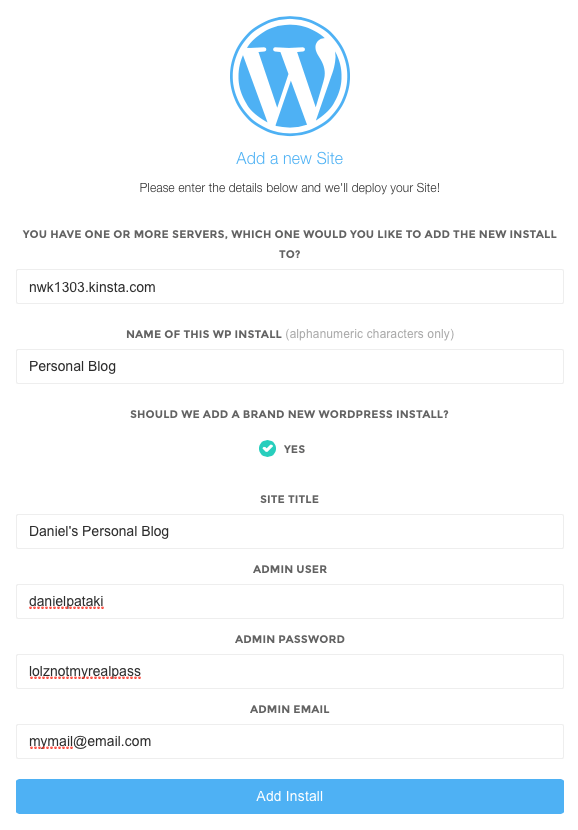
If you have a shared or a VPS account, then you have two choices: one-click installation or manual installation. Many hosts offer WordPress installation tools to minimize the work in this step.
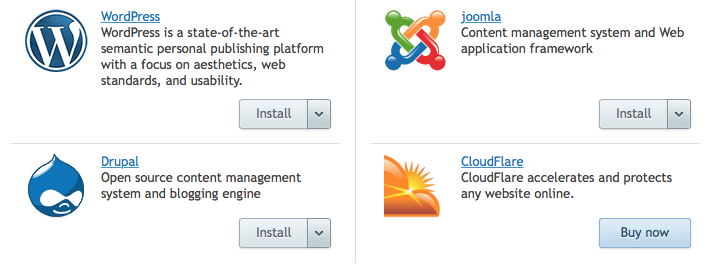
If you need to take the manual root, don’t worry: It’s not difficult! All you’ll need to do is download WordPress, upload all of the files to your domain’s folder, create a database, point your browser to the domain and follow the on-screen instructions.
The WordPress Codex has a complete installation guide. If you’re stuck or need help creating a database, take a look at it and you’ll be done in no time!
Recommended reading: Migrating A Website To WordPress Is Easier Than You Think
A Note About WordPress
It’s time to get our hands dirty and start setting up our actual website from within WordPress. First, I want to mention a couple of things about how WordPress works.
I’m sure you’ll notice that many people say they dislike WordPress for various reasons, such as bad security, a theme not working or their website becoming very slow.
In reality, WordPress is a great system — just like many other systems, no matter how small or large the website. The problems you hear about, like poor security, pages grinding to a halt or a bad user interfaces on the front end, are almost exclusively due to poorly coded plugins and themes.
As a result, the theme and plugins you choose matter a lot. You know how some people have really slow computers and complain about them all day? Then you take a look and see that they’ve installed every single piece of shady software available? The situation is kind of like that.
Coming across a theme or a plugin with malicious intent is pretty rare. More often than not, the problems one creates are caused by sloppiness or insufficient knowledge of coding standards.
What this all boils down to is this: Look for a theme and plugins with good reviews, a sizeable user base and an active development team. This will negate or minimize any negative impact on your website.
Choosing A Theme And Plugins
Choosing a theme is, in many ways, the most difficult task of all. Plugins are usually more specific: You install one to perform a single task. While themes “simply” add the visuals for the front page, testing them can be more complex.
A theme has parts you might not think of testing, such as the 404 page, the search page, the archive and so on. In addition, some themes boast a lot of features, like support for WooCommerce, bbPress and so on.
Code quality affects the speed of your website, which, along with the design, affects your users directly.
Depending on what type of website you have (a personal blog, a store, a forum, etc.), you will also need some plugins. These work in conjunction with your theme and WordPress’ back end to provide specific functionality. Let’s go over a few common setups.
E-commerce
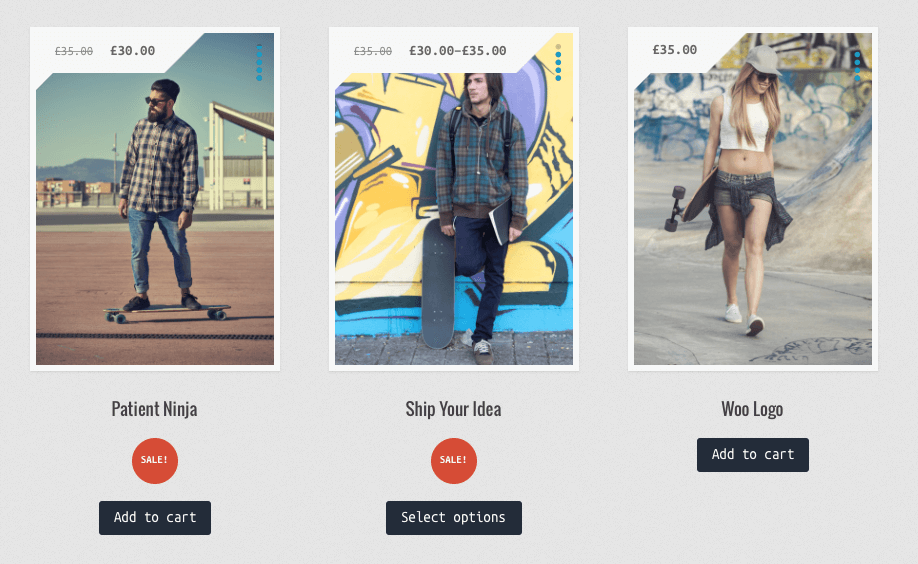
WooCommerce has become the standard plugin to use for e-commerce. It contains everything you need to start an online business right out of the box.
Forums
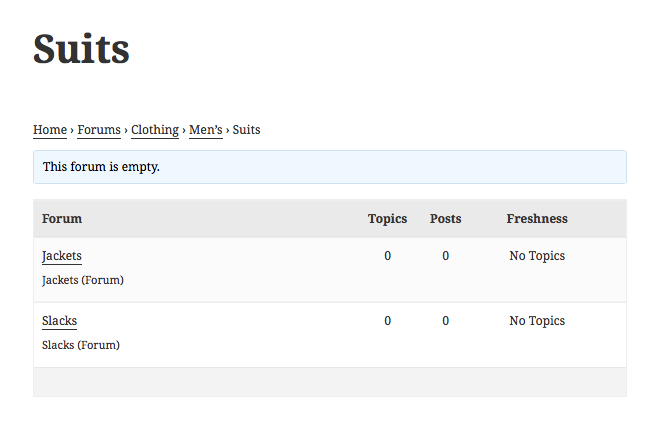
bbPress is a powerful — if somewhat old-fashioned — plugin for forums. Once it’s installed, you and your users can create categories and threads and post replies. Management is easy from within WordPress’ administrative back end.
Social Network
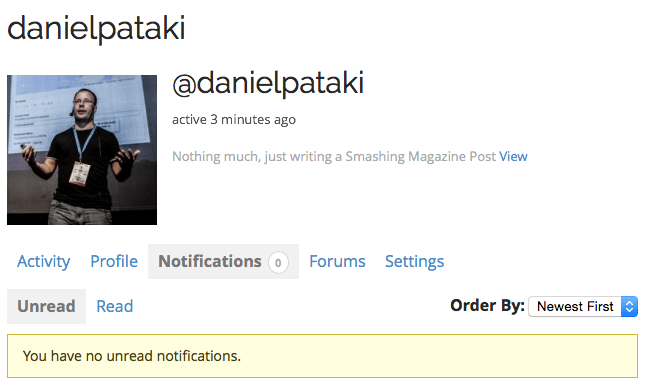
WordPress even allows you to create your own social network with BuddyPress. You get many of the same features you’re used to on Facebook: profiles, groups, activity streams, notifications, friend connections, private messages and so on.
Selecting A Theme
Once you have your base plugins (you can use any number of them together), I recommend adding some content in the back end. This will make it much easier to gauge your theme.
If you’re using bbPress, create some forums, threads and answers. Create multiple users and answer different questions with each of them. If you’re using WooCommerce, add some products with nice images and fill out the details.
One limitation is that you won’t know the capabilities of these plugins. This makes testing nearly impossible, especially if you’re also trying to get to grips with a theme. My recommendation is this. If you are new to WordPress or a particular plugin, always test it using a default theme, such as Twenty Fifteen. Twenty Fifteen is particularly good because it is a clean, minimal theme that is coded by the WordPress team and supports all plugins.
Not all features will look perfect, but functionality-wise you will be able to test everything. Once you understand the theme and the plugin, you can choose a different theme and test the waters there. You’ll notice any missing functionality and any unstyled elements.
What I’ve noticed during my 10 years of working with WordPress is that there is almost no such thing as a perfect theme, just as there is no such thing as a perfect line of clothing in a large apparel store. You might like a coat better if it was an inch longer or like your shoes more if they had a subtly different curve. The only way to get truly perfect clothes is to have them made specifically for you, which is extremely expensive.
The same with WordPress themes. The reason they are usually not perfect is because they are made to serve a large user base. If a theme is perfect for you, then it probably lacks features for other people. You can get a perfect theme if you get a developer to make one for you, but that is expensive.
At the beginning, I suggest settling for a 90% perfect theme. In many cases, what a website owner perceives as being imperfect does not make much of a difference to users. Website speed and easy navigation count for far more than visual perfection.
Get a theme that is close enough, and tweak it using settings and plugins. Perhaps get a developer to make tiny modifications, but don’t dwell on it too much. You can always switch themes or get a theme made for you when you have the funds.
There are some guidelines for choosing a good theme, many of which you can tick off with some research. The basics are these:
- good design, including strong readability and easy navigation;
- solid, secure and speedy code;
- compatibility with the latest version of WordPress;
- active development;
- compatibility with popular plugins;
- support and documentation.
Premium And Free Themes
Contrary to popular belief, free themes aren’t of lower quality than premium themes. You’ll find amazing and horrible themes in both categories. It comes down to the effort of the coding team behind the theme, not the price tag.
In many cases, assessing the quality of a premium theme is easier. Because people have paid money for it, they will be much more likely to rate and comment on the theme than users of free themes.
Recommended reading: How To Create And Customize A WordPress Child Theme
Essential Plugins
In this section, I thought I’d show you some great plugins that many WordPress users install without thinking. Some of these are great for displaying content, some of them add social features, some of them secure your website, and some are just plain helpful.
Recommended reading: How To Speed Up Your WordPress Website
All In One SEO Pack
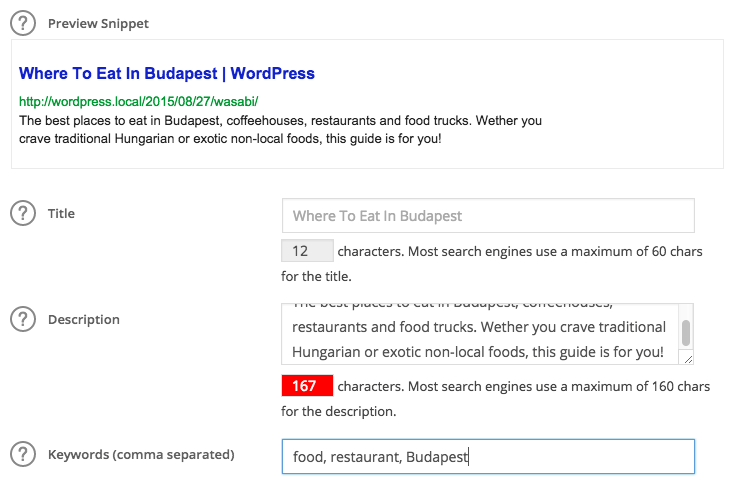
If you’d like to optimize your content to maximize the search-engine love it receives, then you’ll need an SEO plugin, and All in One SEO Pack is a great choice.
Once it’s installed, you can set a lot of meta information for your website and for individual posts. You’ll be able to preview how a page looks in Google results and various other important bits and pieces that go into optimizing content.
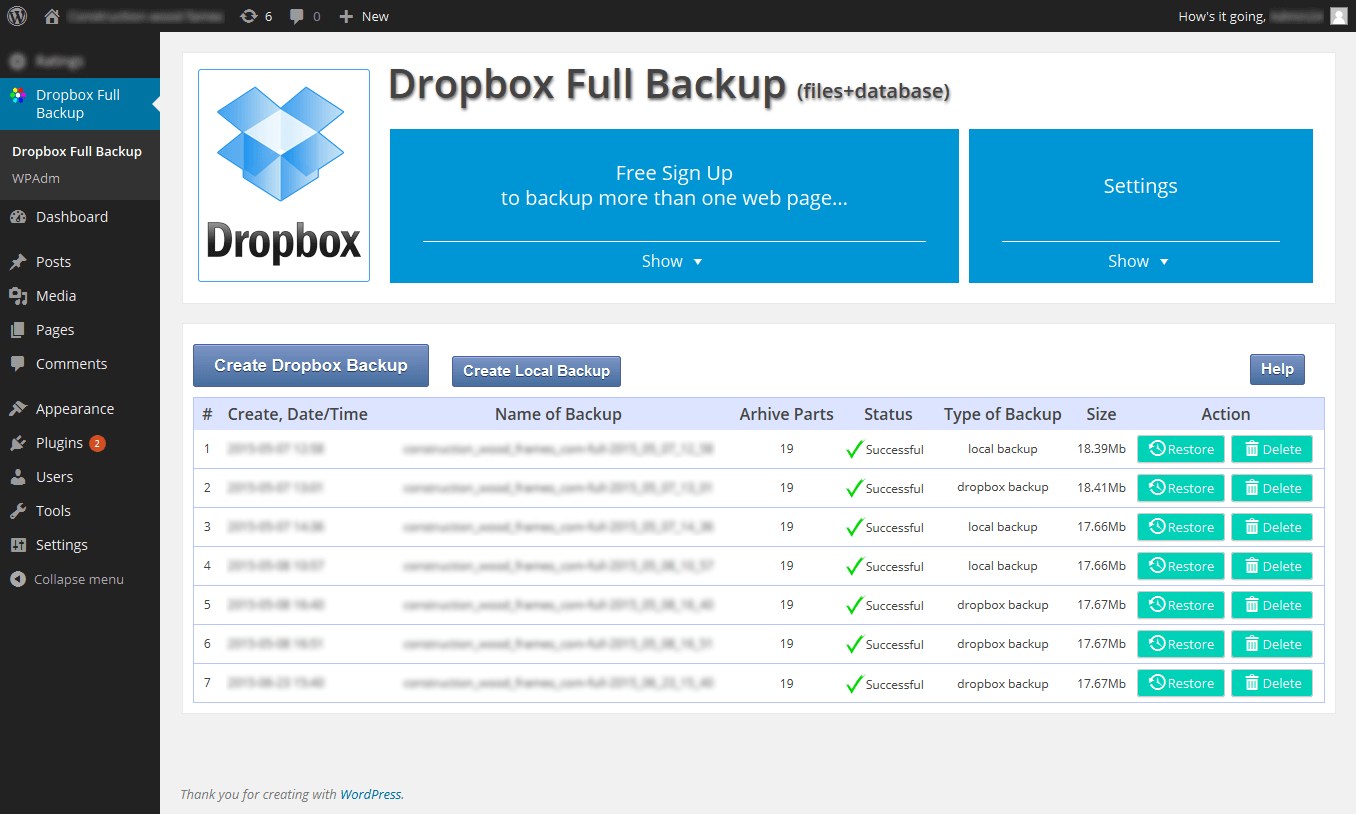
Dropbox Backup And Restore
Backing up and restoring will be a large part of your efforts related to security. Dropbox Backup & Restore automates this task for you. It creates a full backup of all of your files and your database, either locally or to Dropbox.
Whatever backup solution you use, make sure to store your backups off the server. If the hard drive of your server fails, then your backups will disappear as well, of course.
VaultPress
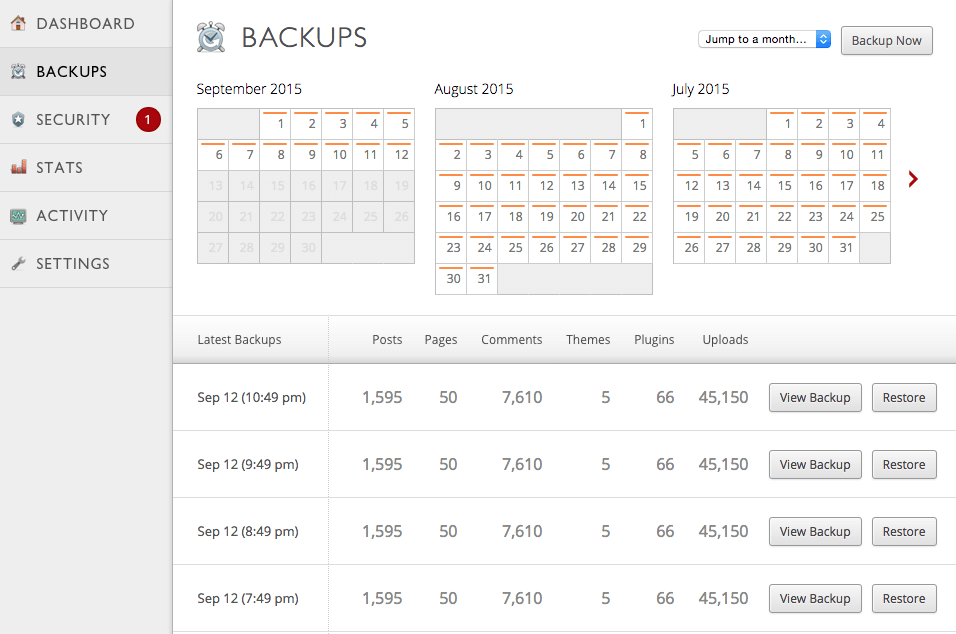
While not free, my favourite plugin for backing up is VaultPress. It was created by the good people at Automattic, the company that manages WordPress, which means it integrates with the system completely.
It ties together with a backup service that takes care of everything automatically. You don’t even have to click “Back up”; the task runs on schedule, and you can restore everything with a single click.
Plans start at $5 a month, which is a bargain if you rely on your website to make money. In addition to the backup service, the plugin also keeps tabs on your website’s security and visitor statistics.
Akismet
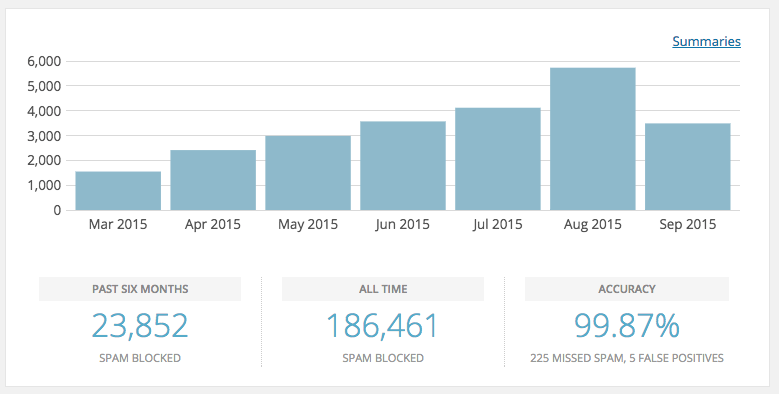
Akismet comes preinstalled with all WordPress installations. It is a plugin tied to a service that ensures your website’s comments section remains spam free.
The power of Akismet is that it is cloud-based. It uses data gathered about spammers across millions of websites to provide more effective spam protection than anything you could do locally.
Using Akismet is free, but please consider going for the paid option if you rely on your website to make money. Akismet is a great service and deserves some love, too!
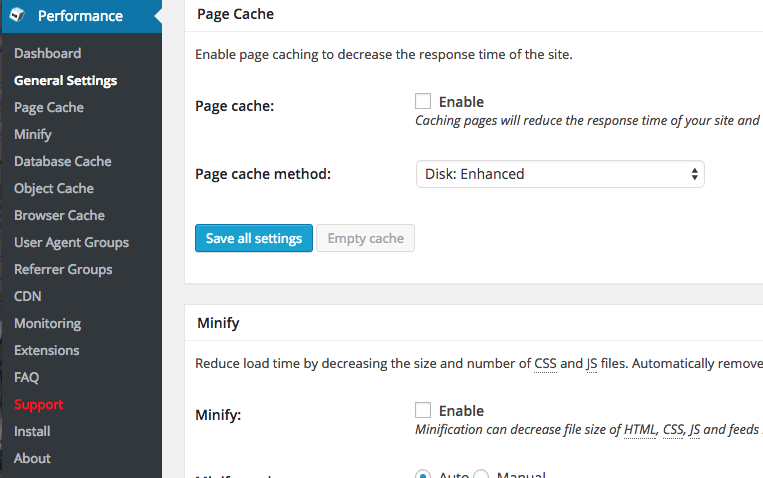
W3 Total Cache
Caching can speed up a website considerably by serving static pages instead of dynamic ones. A single post will generally not change, unless you update the post or someone posts a comment.
This kind of page can be saved as is, and WordPress will be able to serve the saved version much faster than by assembling the page using server-side code and database queries each time. Whenever the page does change, the saved version is updated.
W3 Total Cache is a well-known and high-performance caching solution that brings the best out of your website.
Note that you can tweak a lot of settings, and in rare cases some of them could slow down your website. If you look at the documentation and manipulate only a few things at a time, everything will be just fine.
Jetpack
Jetpack is a monster plugin that has become so feature-rich that it actually takes up more space than WordPress itself. This is not a problem because it provides some genuinely great functionality.
From contact forms to social-sharing buttons to improved galleries, Jetpack offers a huge range of features.

Ninja Forms
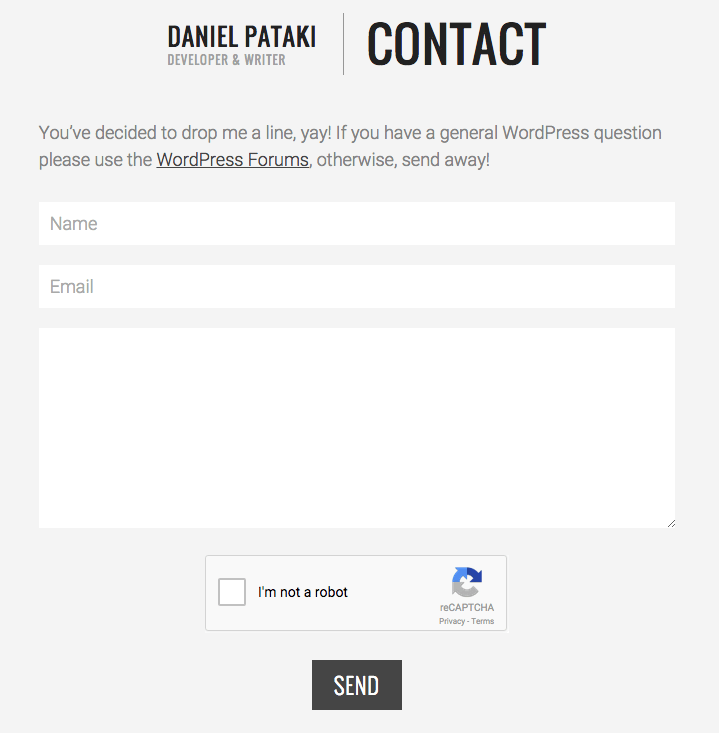
If you want to add a contact form or any sort of information-gathering form to your website, you have a number of options, one of which is Ninja Forms.
You can set up all of the fields you need, add CAPTCHAs and other security measures, and then wait for the responses to flow. Best of all, responses are not only sent your way via email; they are stored in WordPress for future reference!
iThemes Security
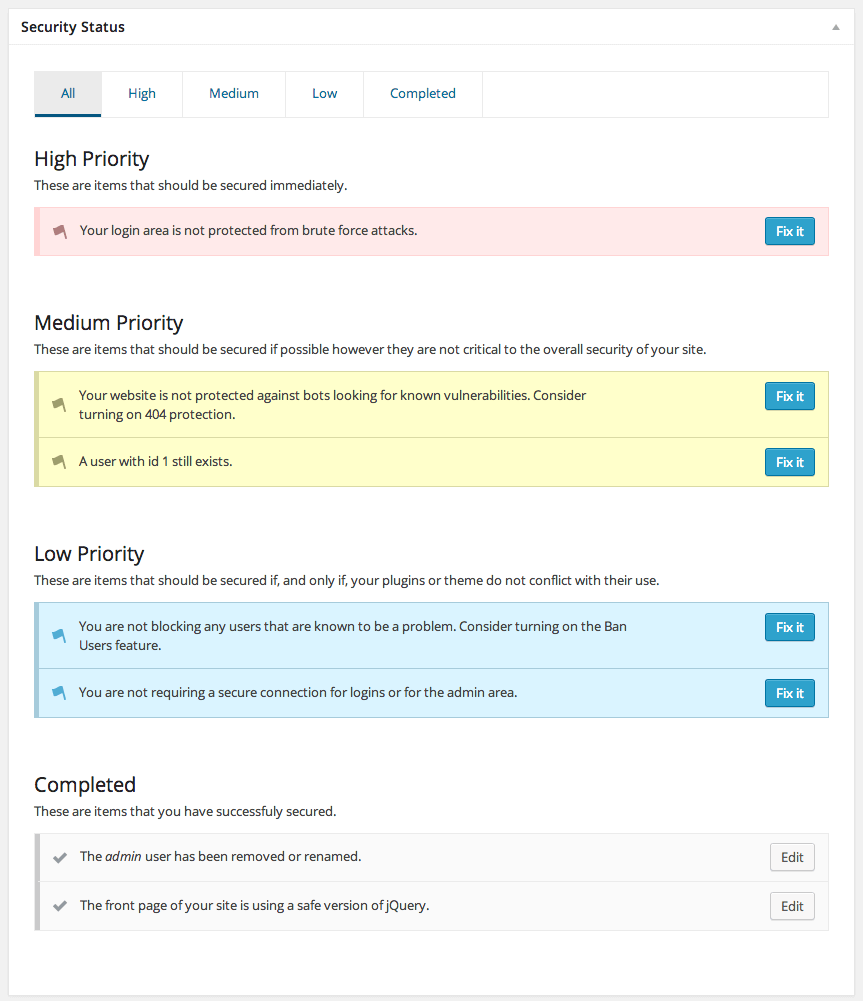
One aspect of security is backing up; another is actively preventing threats. This is where a plugin like iThemes Security comes in.
It monitors user logins, adds two-factor authentication, sets passwords to expire, monitors files for changes, obscures parts of the website to hide them from malicious code and much more!
Most features are set-and-forget, so you can set up the plugin once and be a lot safer as a result!
The List Goes On
Thousands upon thousands of plugins are in the repository for any scenario you could think of. Every plugin I’ve mentioned has dozens of alternatives that you might like better. It pays to try new things and keep your eyes open!
Look at reviews, the latest release date, the developer’s website, documentation and the product itself to gauge whether one is right for you. And don’t forget: You can change a plugin any time if you aren’t happy!
Keeping WordPress Secure
We’ve covered many of the basics with the backup and security plugins mentioned above, but I want to dedicate a section to some simple rules to follow, because getting this right is so important.
Hackers always follow the path of least resistance. They look for common flaws that are easy to exploit. In fact, you can probably get by all right by following these two simple rules:
- Always keep WordPress and all plugins and themes up to date.
- Always use strong passwords, and change your passwords every couple of months.
If you follow these rules, you will bypass 99% of all attempts on your website. To circumvent the remaining 1%, you can use a variety of tactics, some of them simple, some requiring a bit more work.
Smashing Magazine has a pretty extensive article on securing your WordPress website. If you are worried about security or want to do more, take a look.
Essential Pages
Now that everything is set up, you can finally start adding content! While what you add is up to you, there are some usual bits of content, even some that you may be forced to have by law.
Home Page
The home page is the most difficult to make. WordPress allows you to create a static page or a dynamic page. The default is a dynamic page that lists your ten most recent posts.
If you’re creating an online resume or a corporate website, then you might prefer to present details about yourself or the company. In this case, create a page in WordPress and set it as the home page in the “Settings” → “Reading” section.
About Page
An “About” page appears on almost all websites. For a personal website or blog, it can be used to tell your story, allowing users to get to know you. For a corporate website, it would contain more information about the company.
Don’t underestimate the power of this page! While you might not think that the information on there is fun, important or useful, your followers and fans might well think otherwise.
If you’re applying for a job or working as a freelancer, your employer might just have a look. If they are looking for someone detail-oriented, then they will look at every nook and cranny of your website to make sure it all holds up!
Contact Page
If you want people to reach you, then a contact page could well be the way to go. You can use Ninja Forms to create a form and show your basic contact information.
Many pages use Google Maps to indicate a location. This is available via a plugin such as Simple Google Maps Short Code, or you can use Google Maps’ embedding functionality.
Required E-Commerce Pages
If you want to sell products online, you might be required by law or by your payment processor to publish certain pages. These usually include the following:
- terms of service,
- refund policy,
- privacy policy,
- contact details.
Some of this information can be added to a single page, but one thing’s for sure: Many payment providers will not approve your website unless they see this information somewhere.
In addition to appeasing payment processors, you should actually give this content a close read and make sure you can deliver on your promises. Visitors will feel safer knowing they are protected by a privacy and refund policy.
Cookie Handling
In the European Union, a “cookie law” has been passed that requires websites to provide visitors with information about how cookies are used. You could phrase it to convey that usage of the website implies consent, but an information page about cookies is a good idea.
If you need information about the cookie law, Optanon’s page has everything you need to understand and comply with this law.
A bunch of plugins display a cookie information bar on your website without much hassle. Take a look and implement one if you’re based in the EU.
Website Analytics
Analytics for websites are a multi-pronged tool. They can be used to approach potential advertisers, to increase the value of your website and to provide insight into your visitors (which can lead to optimization) — and they’re fun!
Advanced tools such as Google Analytics track the number of visitors, where they come from, how long they stay, how many pages they visit and so on.
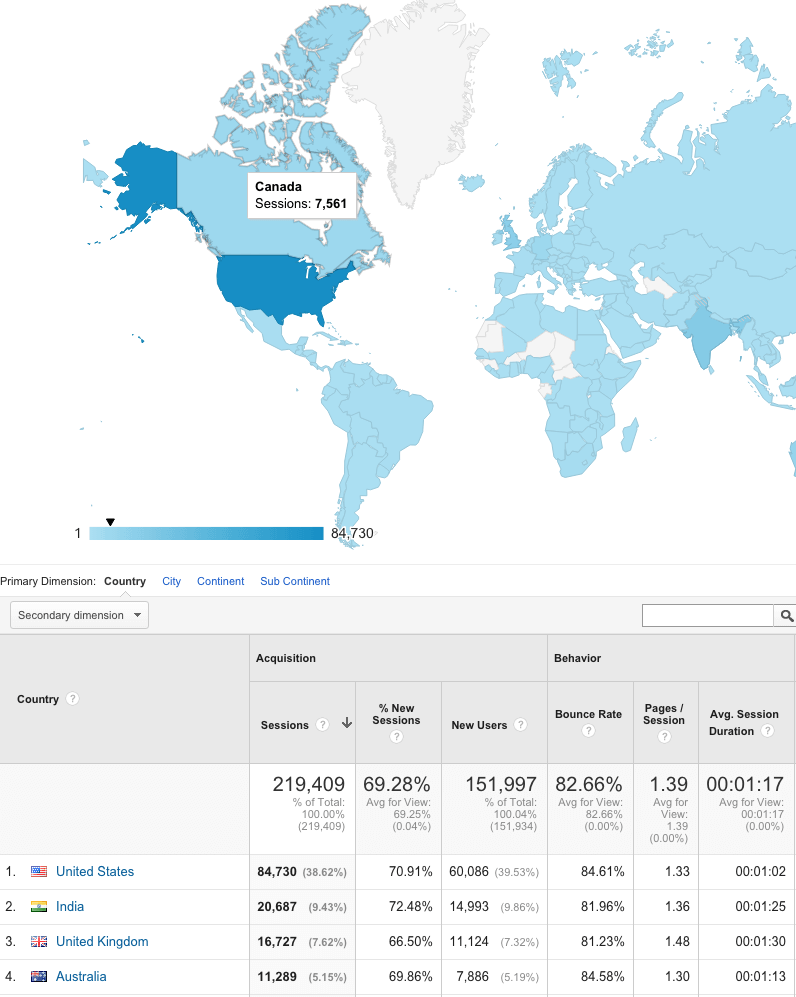
You can create an account with Google Analytics for free and use a plugin such as Google Analytics Dashboard for WP to add your tracking code and to display analytics data right there in the back end.
Using Analytics Data
Using analytics data and acting on it could be (and is) the subject of multiple books. Instead, I just want to share some basic thoughts on how to start using it.
Once some data is coming in, you’ll start to notice trends. You’ll see when your website tends to get the most visits and when it gets the least. Use this data to your advantage. Post new content when you get a lot of visitors, and schedule maintenance and downtime during off periods.
If you’ve made a change to your website or published a particularly promising bit of content, keep track of your statistics to see the effect. If visits go up, then you know you’ve done something right; if they go down, something might be wrong.
If you’re interested in learning more, Smashing Magazine has a guide to Google Analytics ready for you!
Summary
Creating the perfect website is not an easy task, nor is it a done deal. The perfect website requires time and continual work to keep it that way.
There’s always something to optimize, trends to keep up with, security issues to worry about. If you plan on being in business for years to come, prepare yourself. Your website will go down at some point for some unknown reason; the code and design will get old at some point; and you will find bugs with time.
Perfecting a website entails putting services in place to handle such problems: a content and database backup, a maintenance theme, a good developer and designer, and so on.
Don’t worry if you don’t have everything in place to make your website perfect. Start out as best as you can. Above all else, a perfect website requires experience, which you can only get by giving things a go and sticking around.
Further Reading
- The Complete Guide To Custom Post Types
- How To Create Native Admin Tables In WordPress The Right Way
- WordPress Shortcodes: A Complete Guide
- Random Redirection In WordPress
 (dp, ml, al, jb, mrn)