Ultimate Guide To Using WordPress For A Portfolio

Email Newsletter
Weekly tips on front-end & UX.
Trusted by 200,000+ folks.

 Flexible CMS. Headless & API 1st


WordPress is often thought of as just a blogging platform. But it’s capable of so much more. Even WordPress’ documentation includes an entire section on using WordPress as a content management system. Because WordPress is such an easy-to-use platform, it makes sense to consider using it as a platform to build just about any kind of website, a portfolio website included.
Whether you’re a photographer, graphic designer, Web designer or any other kind of visual artist, WordPress makes an excellent starting point for developing your online portfolio. And with the wealth of plug-ins and ready-made themes available, you can usually get a perfectly presentable website up and running in a matter of hours.
This article assumes that you have a clean installation of WordPress running on your website. For instructions on installing and configuring WordPress, please consult the official documentation.
Here are additional links that may be useful when designing your portfolio website.
- 10 Steps To The Perfect Portfolio Website
- An Analysis Of Navigation In Portfolio Websites
- Creating a successful online portfolio
- A Detailed Guide To WordPress Custom Page Templates
The first thing you’ll want to do is decide whether to use a pre-made theme or design your own. If you’re a Web designer, chances are you’ll want to design a custom theme. But if you’re any other kind of visual artist, plenty of ready-made themes are available, and with a little customization (changing the background image, logo and color scheme can go a long way), one probably exists that suits your needs and will save you time. Therefore let’s first take a look at some freely available high-quality “portfolio” WordPress themes.
1. Free WordPress Portfolio Themes
Using a pre-made theme is a great way to save time. While some of the best themes are not free, they’re still significantly less expensive than hiring a designer to build your website or spending hours of your own time when you could be doing billable work.
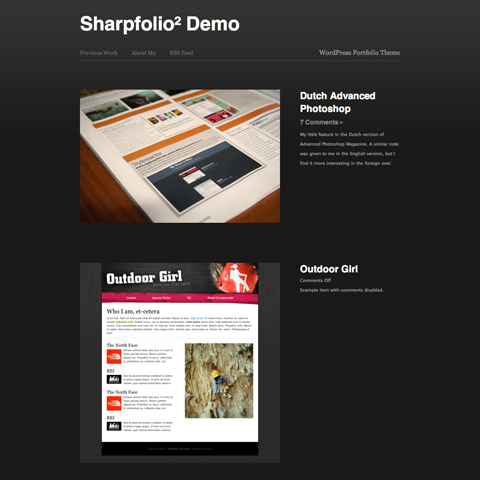
Sharpfolio: WordPress Portfolio Theme | Demo | Free
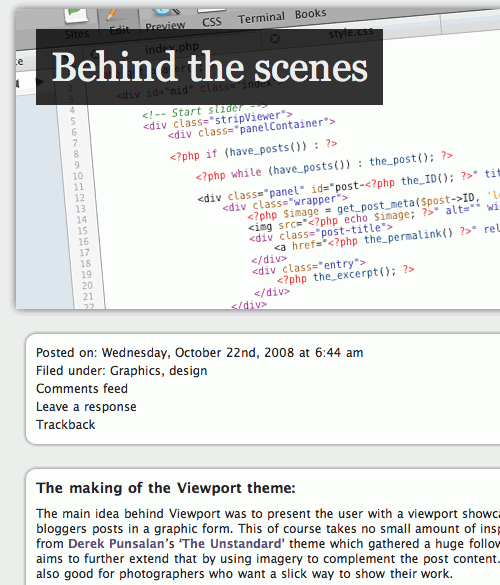
Viewport: WordPress Portfolio Theme | Demo | Free is focused around a clean and simple, content based layout. The aim is to grab the user’s attention and draw them straight into the content. On the single post page the content is laid out clearly in full, with post controls and a widget-enabled sidebar. Created by Paul Bennett especially for Smashing Magazine and its readers.
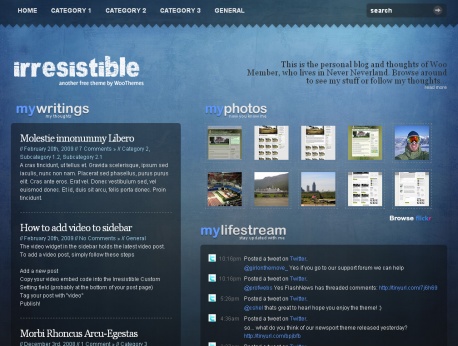
Irresistible | Demo | Download | Free Irresistible is a visually-rich personal blog, with a little bit of a multimedia focus. Incorporating some nifty video-options and widgets, Irresistible should meet all of your personal blogging needs. Just add your content to the mix.
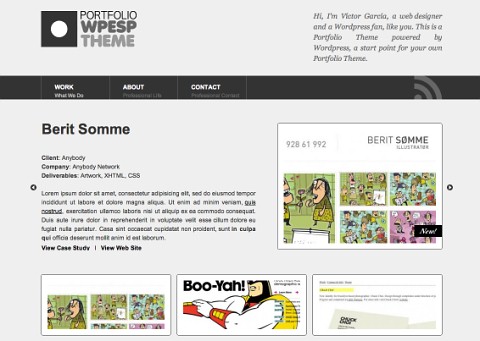
Portfolio - WPESP Theme | Demo | Download | Free The Theme is a starting point in the creation of portfolios, using Wordpress as CMS. In this short tutorial are the guidelines of the design, the Codex de Wordpress used, where are explained the Custom Write Panel created to edit the content, and the adaptation to the Coda Slider Effect script, create by jQuery for Designers, and can be modified depending on what the user needs.
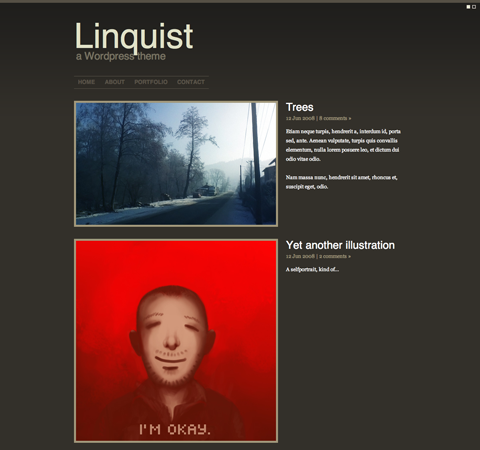
Linquist | Demo | Free
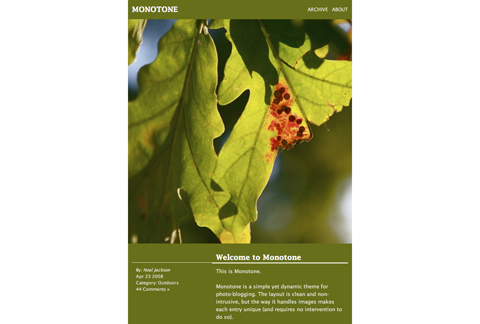
Monotone | Demo | Free
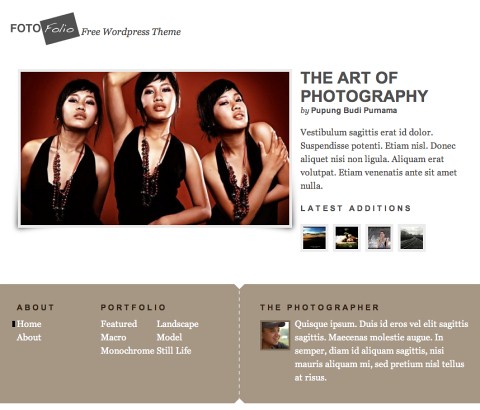
Fotofolio | Demo | Free
2. Commercial Portfolio WordPress Themes
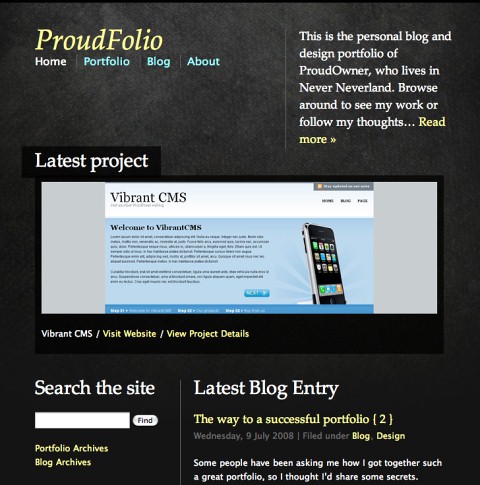
ProudFolio | Demo | Price: $70 ProudFolio is most definitely aimed at aspiring designers, developers, artists and photographers who’d like a framework theme which incorporates both a great-looking portfolio and a feature-rich blog.
Photopro | Demo | Price: $29+
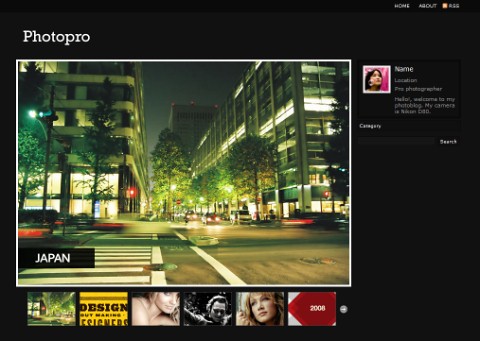
Design Photography Portfolio | Demo | Price: $25
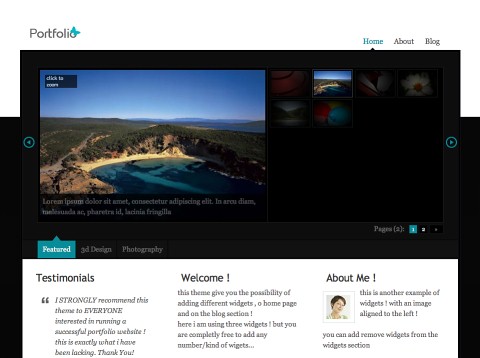
Cassiopeia | Demo | Price: $80+
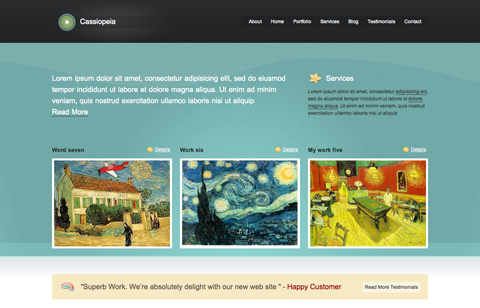
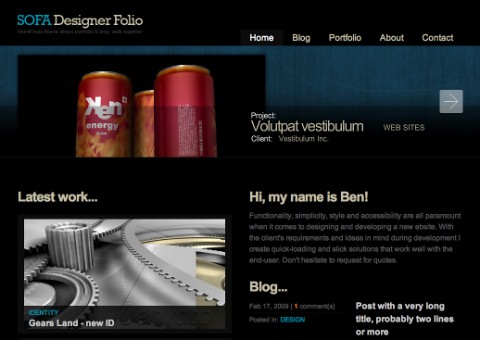
Sofa Designer Folio | Demo | Price: $30 Sofa Designer Folio theme allows you to keep designer’s showcase separated from the blog. For that reason this theme is using two type of templates: Portfolio and Blog.
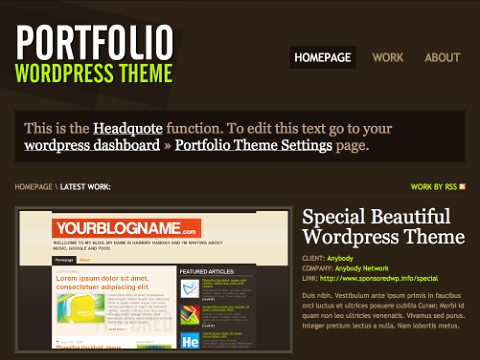
Portfolio WordPress Theme | Demo | Price: $39
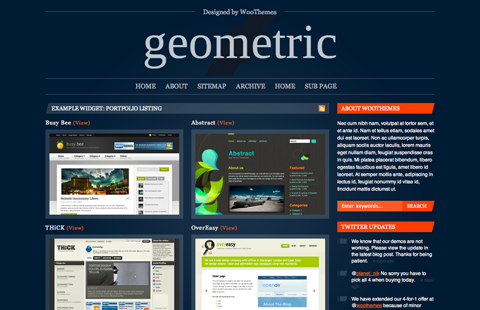
Geometric | Demo | Price: $70 Geometric takes a structured approach to showcasing two rather non-structured things: blogs & design portfolios.
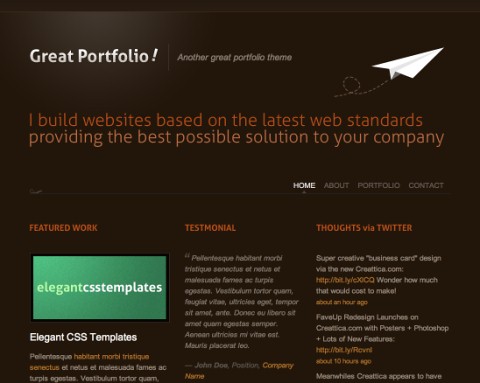
Great Portfolio! WordPress Theme | Demo | Price: $12 Great Portfolio is a one page portfolio and a very clean template. It has 2 color options to choose from namely, dark bule and dark brown. It also has a smooth scroller to each menu of the page. Contact Form is functional and ready to use.
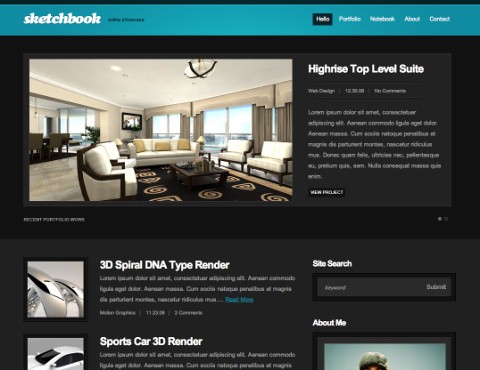
Sketchbook Blog Portfolio WordPress Theme | Demo | Price: $30 Sketchbook was created with the online professional in mind and is geared towards an online showcase of blog and portfolio for the creative individual. This theme comes with a few custom options, such as you can select if you would like an overall light clean airy feel, or if you would like a more bold dark impressive look and feel.
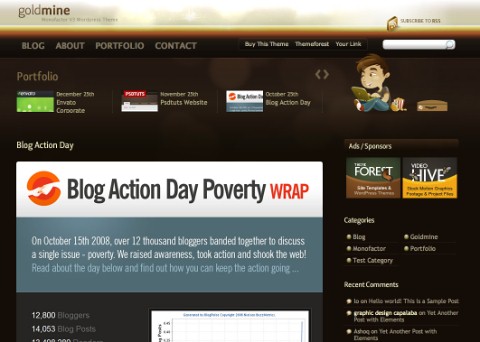
Goldmine Portfolio Blog WordPress Theme | Demo | Price: $25
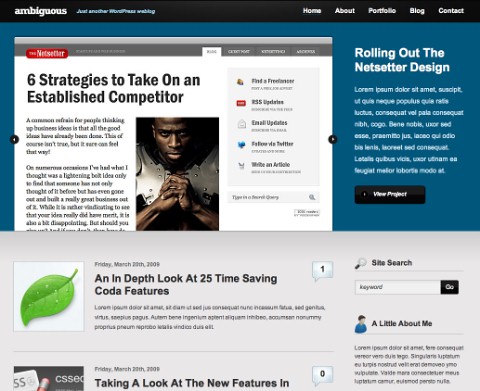
Ambiguous: WordPress Portfolio Theme | Demo | Price: $30 This theme was developed to showcase your work. Ambiguous has a large featured portfolio items area well placed on the homepage showcasing the best of your work. Also on the homepage are your most recent blog posts. In the sidebar there is a custom twitter feed feature, about widget displaying brief info about yourself, and a site search feature.
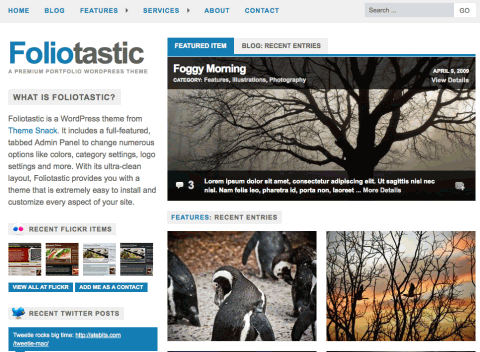
Foliotastic: A Premium WordPress Portfolio Theme | Demo | Price: $30 Foliotastic is a feature-packed portfolio/blog theme that includes a full-featured, tabbed Admin Panel to change options like colors (you can even enter your own custom HEX value), category settings, logo settings and more.
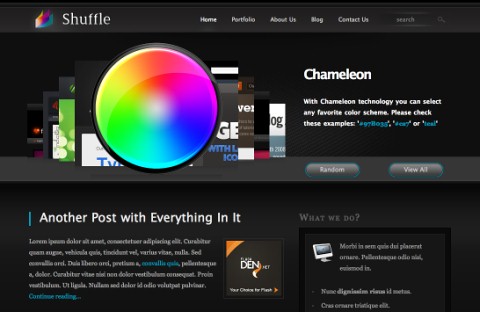
Shuffle: Portfolio Blog | Demo | Price: $30
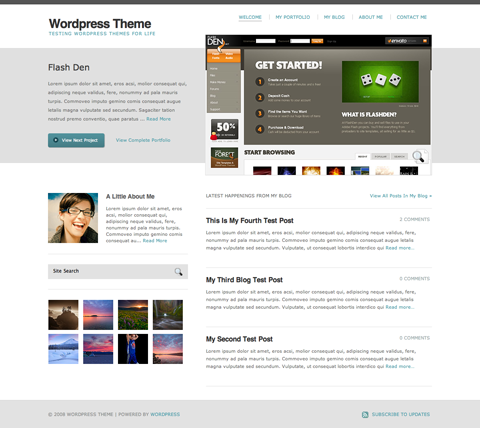
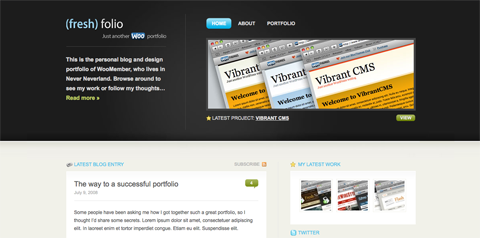
Fresh Folio | Demo | Price: $70+
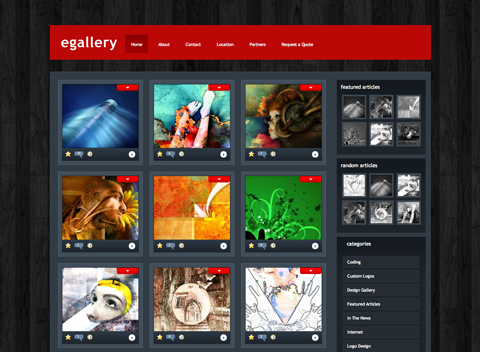
eGallery | Demo | Price: $19.95 per year (membership)
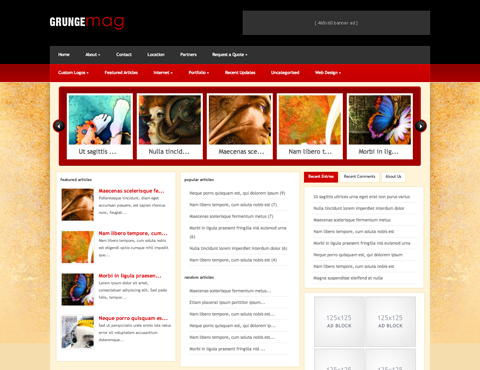
GrungeMag | Demo | Price: $19.95 per year (membership)
Modularity | Demo | Price: $49 per 3 months membership
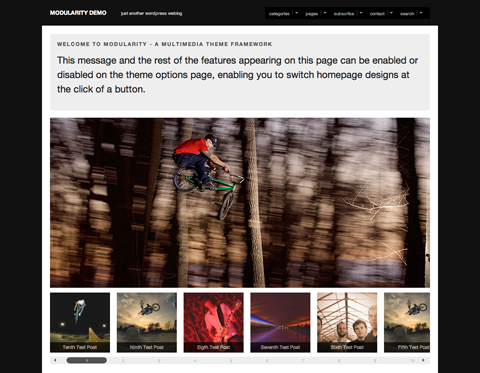
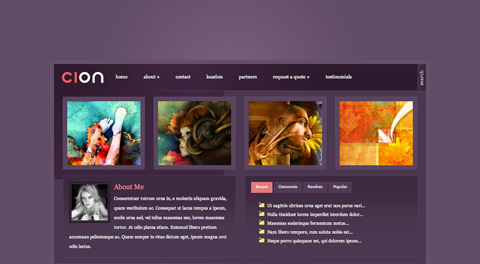
Cion | Demo | Price: $19.95 per year (membership)
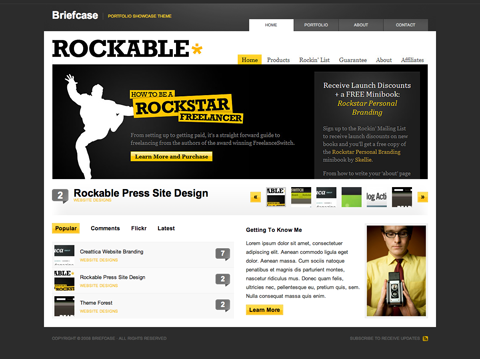
Briefcast Portfolio Theme | Demo | Price: $25
3. Designing Your Portfolio
You’ll likely use two main types of pages on your portfolio website: a home page or main portfolio page and individual project pages. Your main page will likely consist of a series of thumbnails showcasing your work. Individual project pages offer more detailed information about your work.
Designing Your Main Page
One thing all of the above themes have in common is a focus on images on the home page or main portfolio page. A regular WordPress blog usually focuses on text. But a portfolio website needs to focus on the images. Whether you want your images to appear in a grid format, in chronological order, as a slideshow or any other way is a personal choice. But make sure each image is large enough for someone to have an idea of what they’re looking at.
Along with the images for your portfolio, you may want to include some introductory information. One way to do this is to include a “sticky post” (at least two plug-ins do this: Simple Sticky Posts and WP-Sticky). Another way is to use (or design) a theme with a “featured posts” function that sets apart selected posts from the rest of your content.
The way you handle images on your website is another personal choice. A variety of plug-ins are available out there to create various effects.
Plug-Ins to Handle Images
Images are the backbone of any portfolio website. Here are a few plug-ins for displaying and formatting your website’s images.
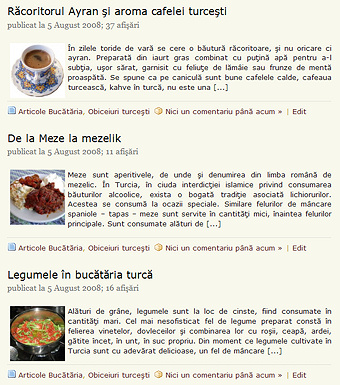
Thumbnail for Excerpts This plug-in automatically displays a thumbnail of a post’s first image in the post excerpt (which appears on your home page or category pages).
Slide Press Integrates slideshows from SlideShowPro into WordPress.
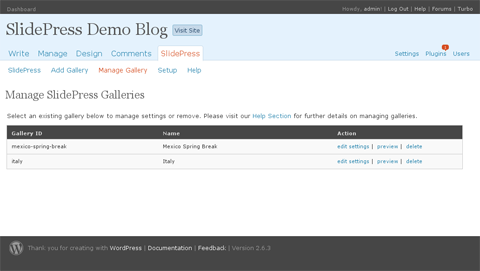
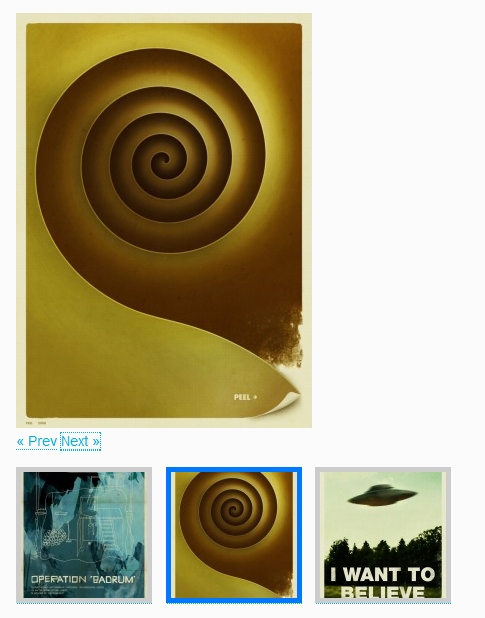
Carousel Gallery (jQuery) for WordPress Creates a jQuery-powered gallery.
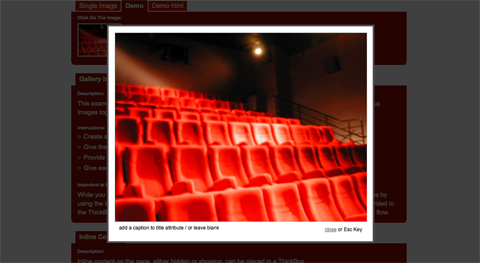
WordPress ThickBox plugin A plug-in for creating the Thickbox photo style. It also includes instructions for switching to the W3C-valid Smoothbox, along with some other useful modifications.
PhotoQ WordPress Photoblog Plugin This plug-in turns your blog into a photoblog. Very handy if you want to use a theme that isn’t particularly suited to a portfolio but don’t have the know-how or time to customize it to your needs.
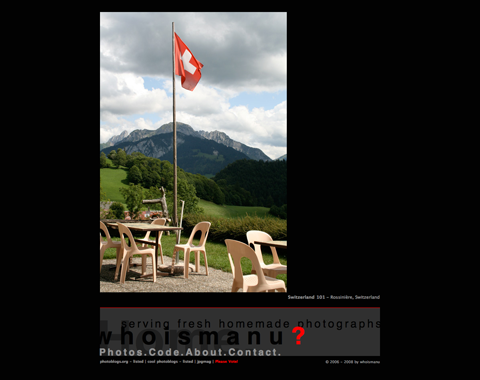
PhotoSmash Galleries This plug-in allows you to manage multiple galleries and even more than one gallery per post.
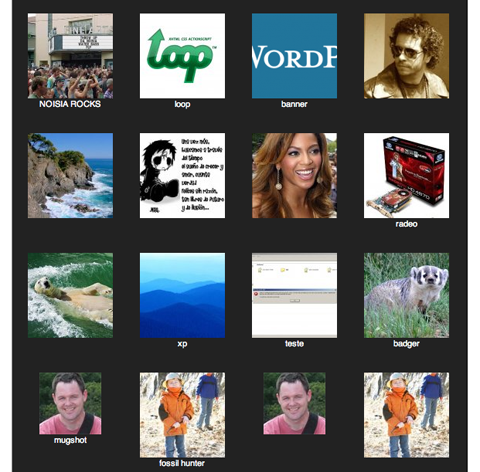
Image Drop Shadow Creates an automatic drop-shadow effect for all of your images.
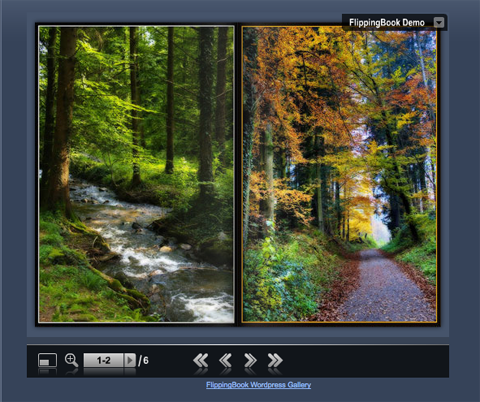
FlippingBook WordPress Gallery This is one of the coolest plug-ins out there for setting up a portfolio. Instead of including a ton of thumbnail images on your project pages, why not set them up as a flip book, in which viewers can turn pages and zoom in to view details? This plug-in makes all that possible (and easy).
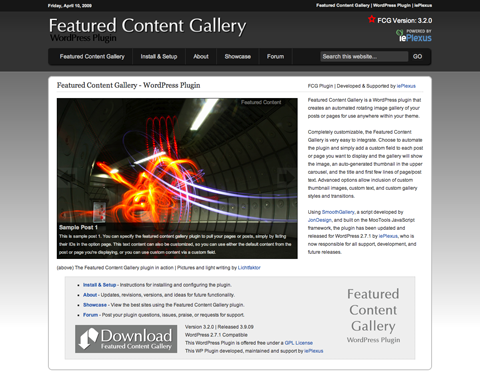
Featured Content Gallery This plug-in creates an automated rotating gallery of images from your posts or pages that you can embed anywhere on your theme.
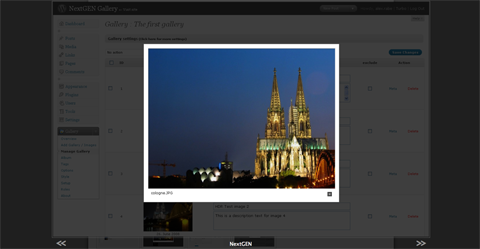
NextGEN Gallery Another gallery plug-in with an easy-to-use back-end.
WordPress Galleria Creates photo galleries automatically; all you have to do is upload a folder with the photos you want for each gallery.
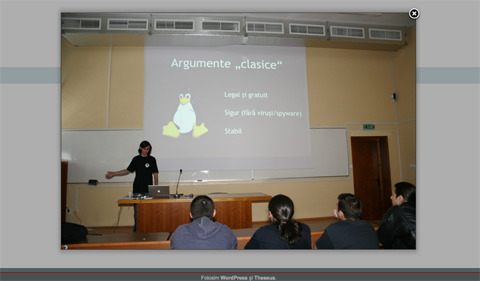
Flickr Gallery This is a great plug-in if you’ve already put your work up on Flickr. It lets you easily create galleries for your blog based on your Flickr photos, photosets and most popular photos.
Designing Your Project Pages
Each of your projects should have its own page providing details. The details you’ll want to include will vary based on what kind of portfolio you have. If you’re a Web designer, you’ll want to offer links to actual websites, along with a brief rundown of each project’s scope and possibly testimonials. If you’re a photographer, you’ll want to include information on the subjects, dates and locations of your photos. An artist will include information about the media used, inspirations and possibly from where and how the pieces can be purchased, or who has purchased them if they’ve already been sold.
Displaying the data for these types of posts can be a pain. You can just use a narrative format to describe the project as you would in a regular blog post. But if you’re looking for something a bit different, there are a couple of ways to deal with formatting posts like this. You can use a post template (check out the Post Templates plug-in) or a table (using the WP-Table plug-in). In any case, standardizing how information is presented for each project will make your portfolio look more professional.
No matter what kind of art or design work you’re showcasing, you may want to include additional images or screenshots of each project. Some of the image gallery plug-ins listed above are perfect for this type of usage.
What Else Should Your Portfolio Include?
Obviously, your portfolio should have images of your best work. But what else should you include? An “About” page should be included, as should contact information. (What’s the point of showing off your work if prospective clients can’t get in touch with you?)
If you’re feeling brave, you may want to set up a rating system on your website. There are plug-ins to do this (GD Star Rating seems to be the most popular). You can then use the ratings to feature certain projects or just use them for your own knowledge.
Whether to leave comments open on your project pages is another consideration. Again, it’s a personal choice. If you do decide to let visitors comment, I would strongly recommend setting up a moderation policy that requires all new comments to be approved. This prevents abusive comments from appearing on your website (a big concern if you’re posting projects you’ve done for clients, who might be offended if a negative comment showed up in reference to their website or logo).
4. Other Considerations And Tips
Keep the design of your portfolio website simple. You want your work to stand out, not the website’s design. A solid-colored or simple image background paired with crisp images of your projects is the way to go.
If you’re designing your portfolio theme from scratch or customizing a pre-made theme, here’s a trick I learned on my first project. Upload your theme or the basic framework of the theme to your website (or testing area). Then go to your home page and each individual page you’ll be designing and copy the source code. Save each of these pages as an HTML file. Open them up in your HTML editor of choice and attach the CSS from your theme. From there, you can edit your CSS and images and see how they affect the website’s actual design. Of course, you won’t be able to edit your PHP files, which control the functionality of your website, but it’s a great shortcut when working on the actual design.
Pick and choose the projects you upload to your website. No one says you have to include every project you’ve ever worked on. Pick the best ones, or the ones most representative of your work, and forget the rest. Better to have 10 or 20 excellent examples than 100 that are just so-so.
5. Portfolio Websites Built On WordPress
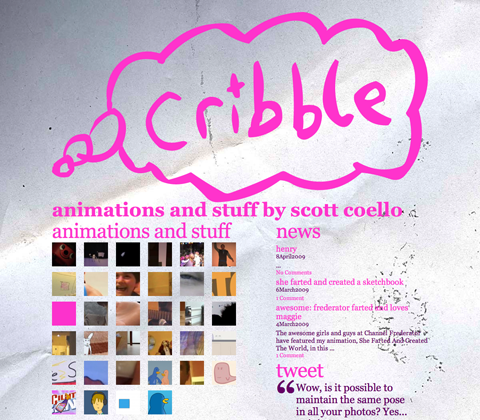
A lot of designers, photographers and artists already use WordPress to display their work. Here are just a few:
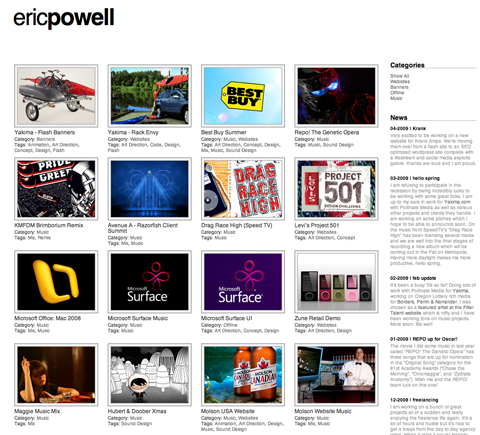
Delineate
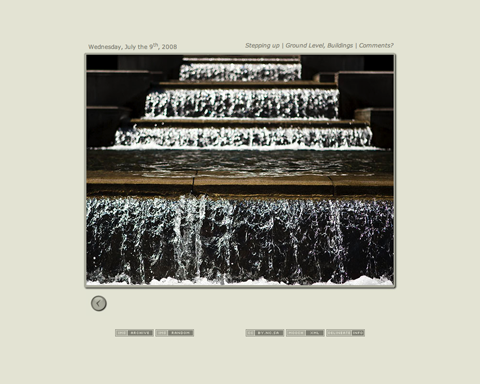
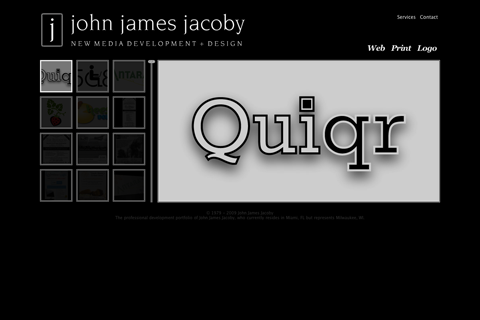
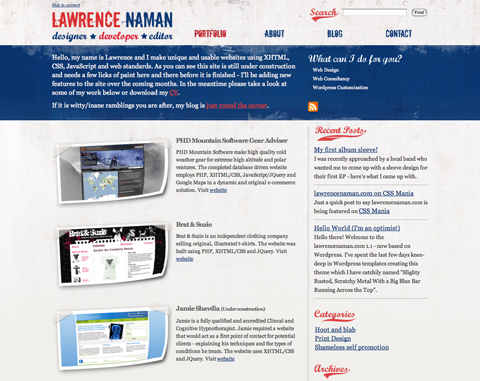
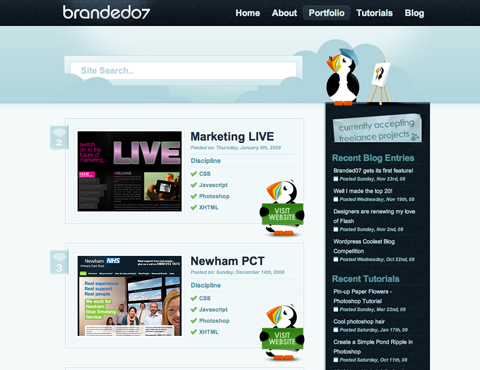
George Butler Design and Development
WordPress Galleria Creates photo galleries automatically; all you have to do is upload a folder with the photos you want for each gallery.
Flickr Gallery This is a great plug-in if you’ve already put your work up on Flickr. It lets you easily create galleries for your blog based on your Flickr photos, photosets and most popular photos.
Designing Your Project Pages
Each of your projects should have its own page providing details. The details you’ll want to include will vary based on what kind of portfolio you have. If you’re a Web designer, you’ll want to offer links to actual websites, along with a brief rundown of each project’s scope and possibly testimonials. If you’re a photographer, you’ll want to include information on the subjects, dates and locations of your photos. An artist will include information about the media used, inspirations and possibly from where and how the pieces can be purchased, or who has purchased them if they’ve already been sold.
Displaying the data for these types of posts can be a pain. You can just use a narrative format to describe the project as you would in a regular blog post. But if you’re looking for something a bit different, there are a couple of ways to deal with formatting posts like this. You can use a post template (check out the Post Templates plug-in) or a table (using the WP-Table plug-in). In any case, standardizing how information is presented for each project will make your portfolio look more professional.
No matter what kind of art or design work you’re showcasing, you may want to include additional images or screenshots of each project. Some of the image gallery plug-ins listed above are perfect for this type of usage.
What Else Should Your Portfolio Include?
Obviously, your portfolio should have images of your best work. But what else should you include? An “About” page should be included, as should contact information. (What’s the point of showing off your work if prospective clients can’t get in touch with you?)
If you’re feeling brave, you may want to set up a rating system on your website. There are plug-ins to do this (GD Star Rating seems to be the most popular). You can then use the ratings to feature certain projects or just use them for your own knowledge.
Whether to leave comments open on your project pages is another consideration. Again, it’s a personal choice. If you do decide to let visitors comment, I would strongly recommend setting up a moderation policy that requires all new comments to be approved. This prevents abusive comments from appearing on your website (a big concern if you’re posting projects you’ve done for clients, who might be offended if a negative comment showed up in reference to their website or logo).
4. Other Considerations And Tips
Keep the design of your portfolio website simple. You want your work to stand out, not the website’s design. A solid-colored or simple image background paired with crisp images of your projects is the way to go.
If you’re designing your portfolio theme from scratch or customizing a pre-made theme, here’s a trick I learned on my first project. Upload your theme or the basic framework of the theme to your website (or testing area). Then go to your home page and each individual page you’ll be designing and copy the source code. Save each of these pages as an HTML file. Open them up in your HTML editor of choice and attach the CSS from your theme. From there, you can edit your CSS and images and see how they affect the website’s actual design. Of course, you won’t be able to edit your PHP files, which control the functionality of your website, but it’s a great shortcut when working on the actual design.
Pick and choose the projects you upload to your website. No one says you have to include every project you’ve ever worked on. Pick the best ones, or the ones most representative of your work, and forget the rest. Better to have 10 or 20 excellent examples than 100 that are just so-so.
5. Portfolio Websites Built On WordPress
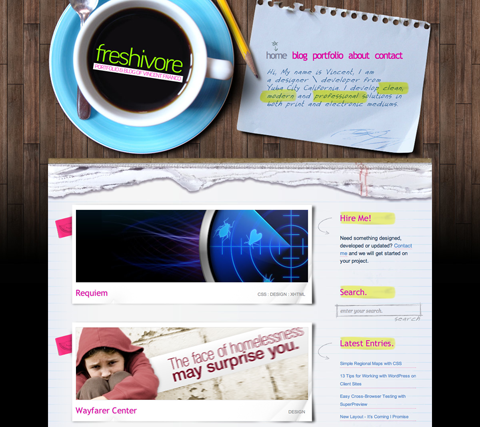
A lot of designers, photographers and artists already use WordPress to display their work. Here are just a few:
Delineate
George Butler Design and Development

Freshivore
6. Further Resources
Here are additional links that may be useful when designing your portfolio website.
- How to Use WordPress for a Portfolio Site: Part 1 and Part 2 from blogHelper A complete tutorial on creating a custom WordPress portfolio theme.
- Using WordPress as a Portfolio: Examples and Themes (15+) A collection of portfolio themes and websites.
- Build a Dynamic Design Portfolio with WordPress A very basic rundown of setting up a portfolio website.
- WordPress as a CMS - Content Management System The basics of using WordPress as a content management system.
- Things to Consider When Using WordPress as a CMS A more detailed look at using WordPress as a CMS.
- So You Want to Create WordPress Themes, Huh? A tutorial on creating custom WordPress themes.
- WordPress Customization A very detailed look at different ways to customize WordPress.
- WordPress Developer’s Toolbox A list of useful WordPress developer tools and resources.
- Creating a Successful Online Portfolio There are some common mistakes designers make in their portfolios. Let’s review these common pitfalls first to make sure you don’t fall into one of these traps.
- 50 Beautiful And Creative Portfolio Designs In this showcase, you’ll find a variety of beautiful, unique and highly creative portfolio designs.
 (al)
(al)