Useful Free Admin Plugins For WordPress

Email Newsletter
Weekly tips on front-end & UX.
Trusted by 200,000+ folks.


 Flexible CMS. Headless & API 1st

The admin area is the heart of any WordPress-powered website. It’s where everything is controlled and where admin, editors, authors and contributors publish content to posts, pages and other custom post types. The default features of WordPress are fine for some website owners, although you may find that certain features need to be improved and others need to be added.

Thankfully, the core features of WordPress can easily be extended with plugins. Plugins enable you to extend only the areas you need. For example, if you have a basic blog with five authors, you might only be interested in plugins that improve your editorial process and speed up the process of articles being written, reviewed and published. Likewise, if your website allows registration, you may want to add a plugin that lets you specify what users can and cannot do.
Further Reading on SmashingMag:
- How To Become A Top WordPress Developer
- Common WordPress Malware Infections
- Writing Unit Tests For WordPress Plugins
- Useful Free Admin Plugins For WordPress
Today, we’ll show you a number of great plugins that will enhance your WordPress website in some way. These administration plugins are all free to download from the official WordPress plugin directory and will help protect your website, give you more control over users or automate the editorial process.
Post Scheduling And Management
1. Editorial Calendar
This is the perfect plugin for managing the scheduling of your posts. Editorial Calendar adds a calendar page to the post section of your admin area. Each day shows the posts that are scheduled for that day. Multiple posts are listed in chronological order.
Using the calendar, you can quickly edit titles and publishing times and change the status of posts from “Draft” to “Pending review” to “Published” or “Scheduled.” You can change the content of posts using the “Quick edit” option, too. To change a post’s date, all you have to do is drag and drop the article to another day, and the date stamp will be automatically updated. Useful for those of you who schedule a lot of articles in advance.
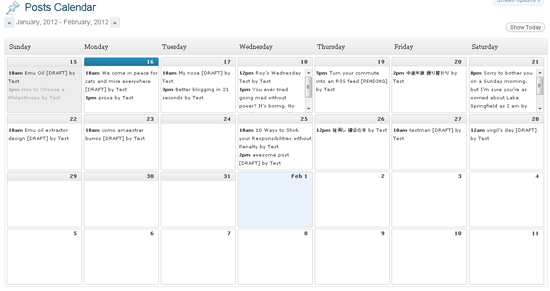
Editorial Calendar: Information and download | Demo
2. Peter’s Collaboration E-mails
A great plugin for managing the editorial flow of posts. When a contributor submits a post for review, the plugin emails the specified users to let them know there is a post to review. Once the post is approved, the contributor gets an email letting them know it has been accepted. If the post is changed back to “Draft,” the contributor is advised that it has not been accepted and is sent a link to edit the article.
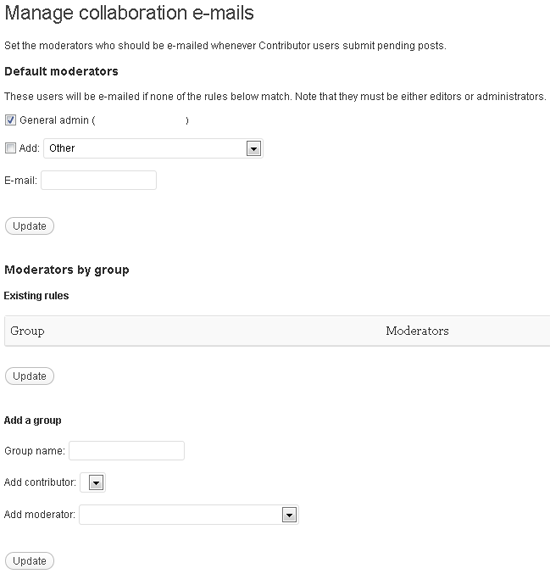
Peter’s Collaboration E-mails: Information | Download
3. Peter’s Post Notes
From the same developer as Peter’s Collaboration E-mails, Peter’s Post Notes is a simple plugin that helps authors collaborate with each other on posts. It adds a note area next to the “Publish” box on the editing pages for posts and pages.
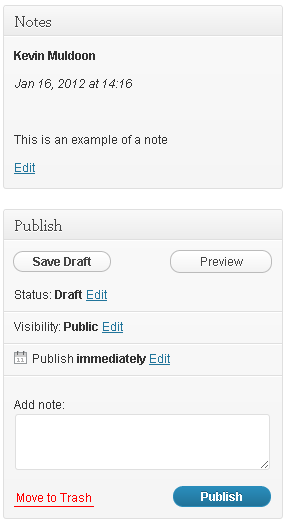
Peter’s Post Notes: Information | Download
4. Content Audit
Content Audit enables you and your staff to easily review old content and determine if it’s still relevant. The plugin works with posts, pages and media. You can automatically set content as outdated after a set period of time and notify post authors about it. Content can be marked as redundant, outdated or trivial. You can also mark content as needing a review of SEO or style.
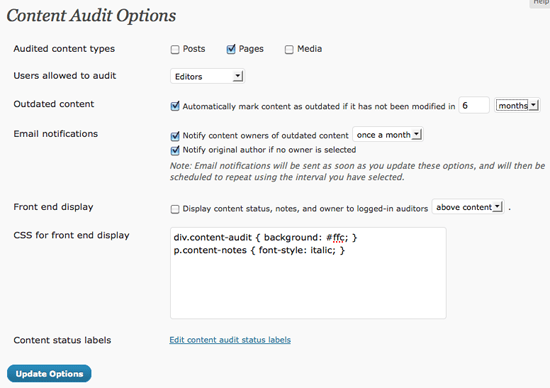
Content Audit: Information | Download
5. Edit Flow
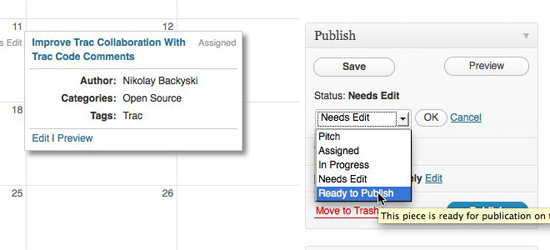
One of the most feature-rich editorial plugins available for WordPress. It comes packaged with a calendar for scheduling posts more easily, custom statuses to define the exact stage a post or page is at, threaded commenting between authors and editors, editorial meta data and notifications to let authors and editors know about the status of a post or page.
It also features user groups to help you manage your staff better, and a story budget that highlights upcoming content.
Edit Flow: Information | Download
6. WP Document Revisions
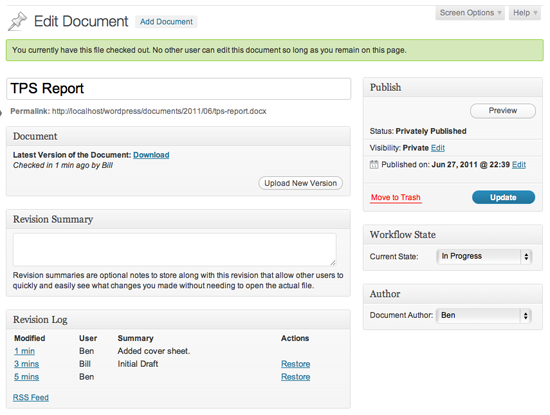
A document-management system that enables teams to work together and collaboratively edit files, posts and pages. Team members can edit spreadsheets, Word documents, images and more. Details of how documents have been revised can be entered, and older revisions can be restored easily at any time. You can also make projects private or password-protect them for more security.
WP Document Revisions: Information | Download
General Admin
7. Adminimize
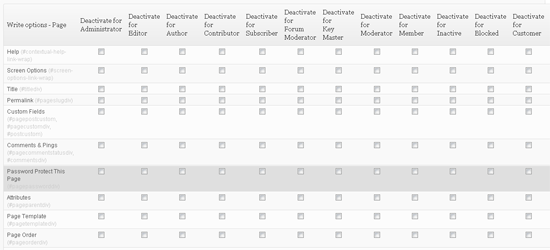
Adminimize is a great plugin that lets you hide unnecessary items from all areas of your website. This is useful for those of you who want to simplify things for clients and make sure they don’t have access to features that they don’t need.
You can change back-end options; global options; dashboard options; write options for posts, pages and custom page types; link options; and menu options. There is also an export function that lets you easily duplicate settings across your other websites.
Adminimize: Information and download
8. Codepress Admin Columns
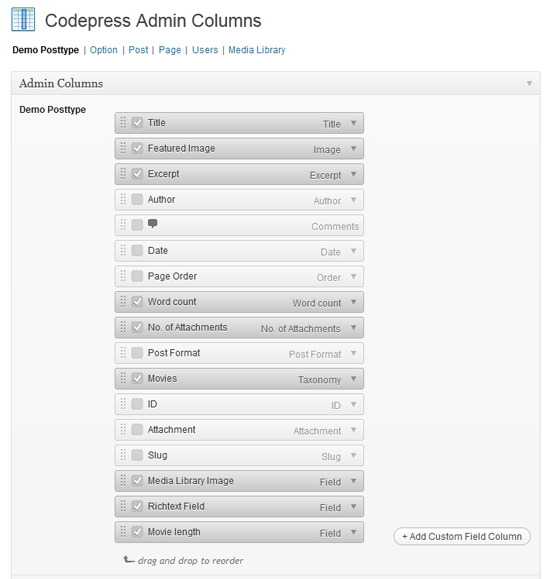
Codepress Admin Columns lets you customize your admin screen for all post types and users. Simply define the columns that you want shown in each area, and disable the ones that are irrelevant to you. You can add custom fields, and the plugin works well with some other popular admin plugins, too.
Codepress Admin Columns: Information | Download
8. Admin Management Xtended
Adds AJAX-powered editing options to the editing pages of your posts and pages. The buttons let you switch a post from “Published” to “Draft” and vice versa. You can also change the date, edit the post’s slug and switch comments off more quickly than usual.
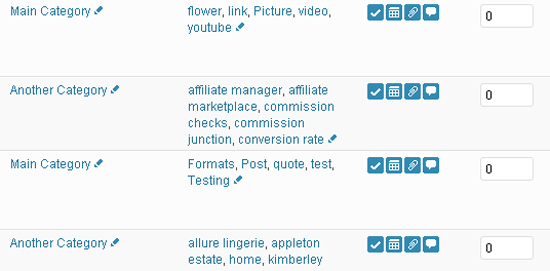
Admin Management Xtended: Information and download
9. WordPress Tweaks
Lets you toggle more than a dozen simple tweaks, such as disabling the dashboard’s admin bar, disabling the Flash uploader, disabling post revisions and much more. Also worth checking out is DP Tweaks, which has a few different tweaks.
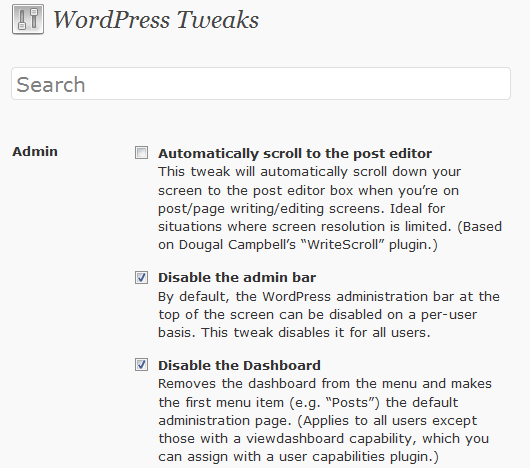
WordPress Tweaks: Information and download
10. WordPress Admin Bar Improved
Gives you complete control over the admin bar. Default items such as your website’s name and website links can be disabled, and you can add items such as a log-in bar, registration link and custom menu items.
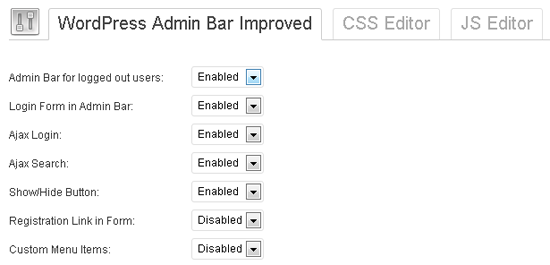
WordPress Admin Bar Improved: Information and download
11. WordPress Post Formats Admin UI
Adds a built-in admin interface for post formats. Each tab has been designed to work better with its matching post format. For example, the video tab only has a field for the video’s title and a text area to post the video’s code. Don’t be surprised if you see this built into WordPress’s core in 2012.
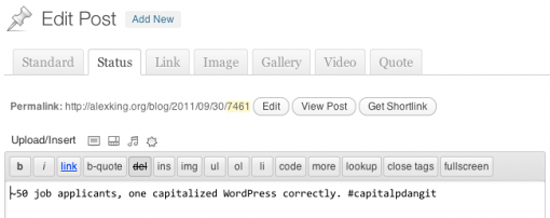
WordPress Post Formats Admin UI: Information | Download
12. Audit Trail
A useful of way to track exactly what is happening on your website. Audit Trail shows you what actions users have taken in the order that events have happened. You can track file attachments; manage categories, comments, links, posts and pages; switch themes; and manage user profiles, log-ins and user page visits.

Audit Trail: Information and download
Admin Styling
13. Custom Admin Branding
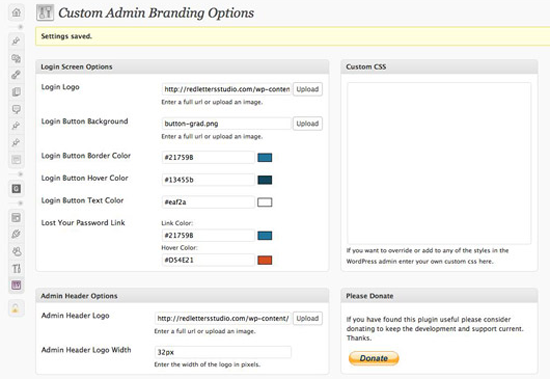
A quick way to brand the admin area for clients or staff. The log-in logo, admin bar logo and footer logo can easily be changed in the plugin settings page, and you can change the log-in color scheme, too.
Custom Admin Branding: Information and download
14. Fluency Admin
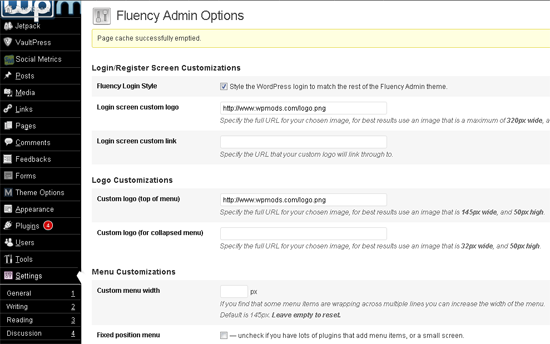
A great admin styling plugin that was toned down last year due to improvements in the default admin style. The plugin lets you upload your logo to the log-in page and admin bar and change the color scheme of the admin area. The admin bar and admin menus can also be customized.
Fluency Admin: Information | Download
Security
15. Login Lockdown
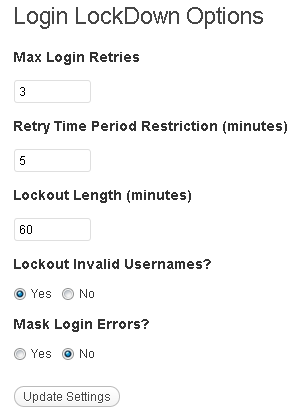
An essential plugin that limits the number of log-in attempts from a user from an IP range within a defined time period. You can adjust the maximum number of retries a user is allowed, the retry time period and the length of time a user is locked out. Details of which users are currently locked out are on the settings page, but unfortunately it doesn’t store this data for future reference (i.e. to track those who repeatedly get locked out).
Login Lockdown: Information | Download
16. Secure WordPress
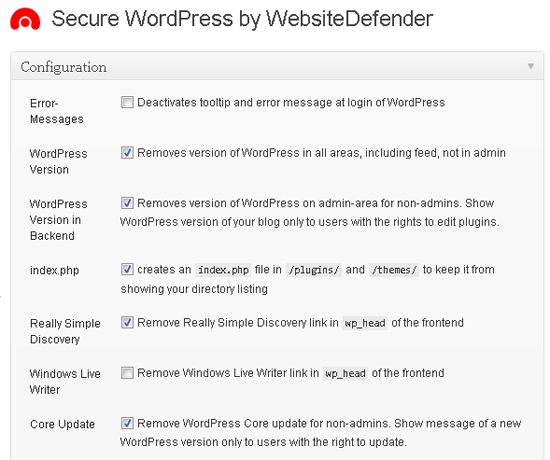
A security plugin that lets you apply around a dozen tweaks. Tweaks include adding an index file to the plugin directory, removing the version number of your Wordpress installation from all areas, and blocking queries from harmful websites.
Secure WordPress: Information | Download
17. WP Security Scan
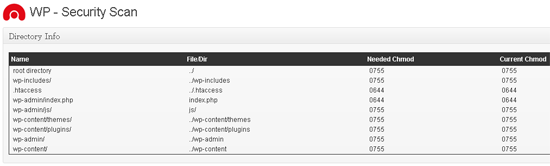
Another great security plugin from Website Defender for improving the security of your WordPress-powered website. It provides information on how to make your website more secure in a number of areas, such as making sure important files and directories have the right settings. It can also change some settings directly, such as the table prefix of your database and the default admin user name (which is “admin”).
It can also hide the version of WordPress you are using, and it walks you through why adding an .htaccess file to the wp-admin folder will make the website more secure.
WP Security Scan: Information | Download
Notes And Messaging
18. Private Messages For WordPress
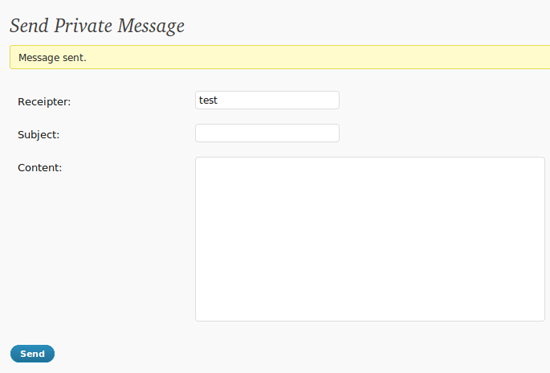
Adds a simple messaging system that allows users to send messages to each other through your website. You can set the number of messages a user group may have or remove its access altogether. A good way to communicate with staff or visitors.
Private Messages For WordPress: Information | Download
19. Dashboard Notepad
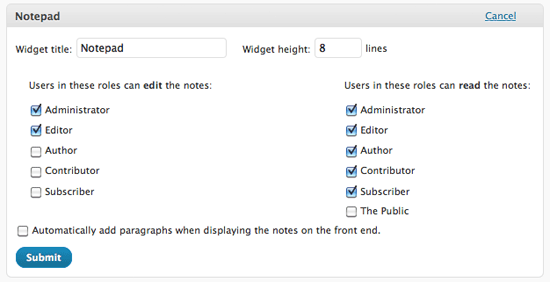
Adds a simple dashboard widget to the home page of your admin area. You can specify which user groups can see the widget and which user groups can edit it.
Dashboard Notepad: Information | Download
User Management
20. User Spam Remover
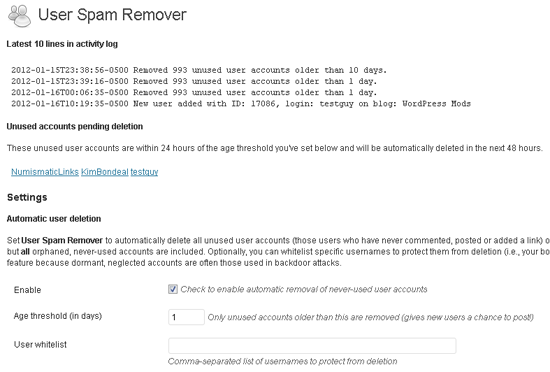
Useful for anyone who has had a problem with registration spam. The plugin automatically deletes spam registrations and accounts that have never been used. You can set the threshold for how many days an account has to be inactive before it is deleted. This prevents legitimate accounts from being deleted.
User Spam Remover: Information | Download
21. WP CMS Post Control
This hides certain controls from user groups. Core functions such as auto-save, revisions and the Flash uploader can be disabled, and you can limit revisions, too. It works similar to Adminimize but is much simpler to use (Adminimize can overwhelm you with options).
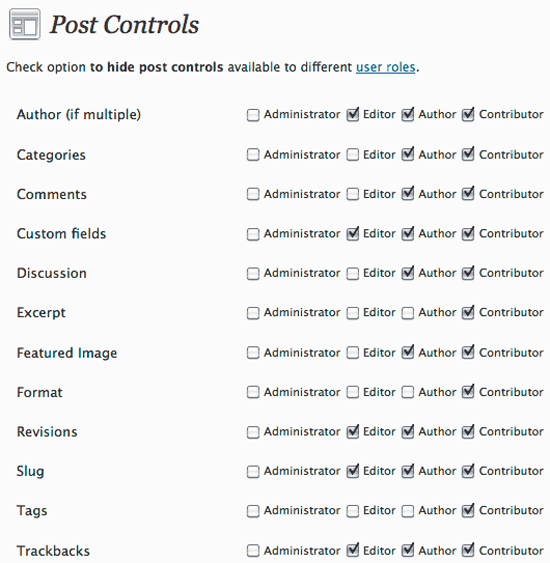
WP CMS Post Control: Information and download
22. User Role Editor
One of the most popular role capabilities plugins for WordPress. User Role Editor lets you change the capabilities of each user group. This is useful for restricting what certain user groups can do or for giving them additional responsibilities (for example, by default contributors aren’t allowed to upload images). You can also override the capabilities defined for user groups and change the capabilities of users individually.
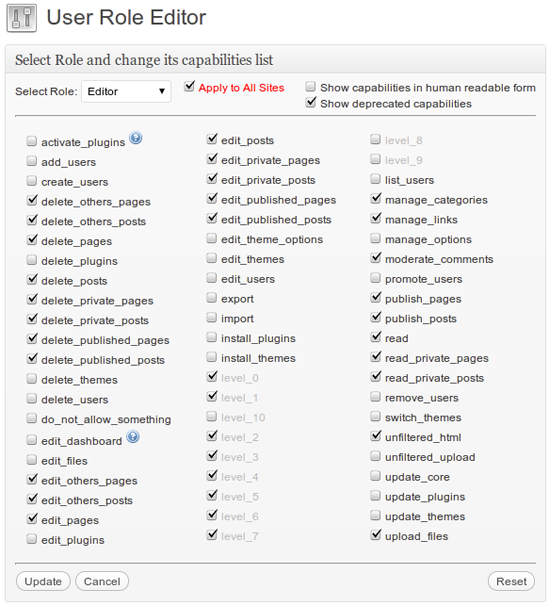
User Role Editor: Information | Download
23. Members
Similar to User Role Editor, Members comes with a great role manager feature that lets you control what user groups and individual users can and cannot do. It has additional features such as restricting what users can view in a post and making your website and your feed private.
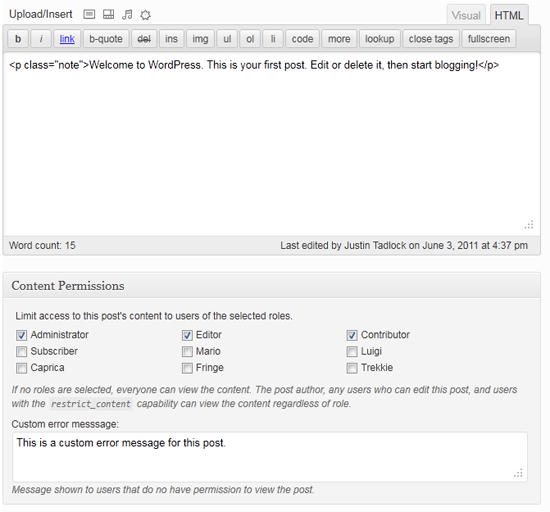
Members: Information and download
24. ThreeWP Activity Monitor
Allows you to track all activity on your website. The plugin shows successful and failed log-ins for users, content that has been updated, changed passwords and much more. Any time your WordPress database is updated in some way, this plugin will show exactly what has occurred.
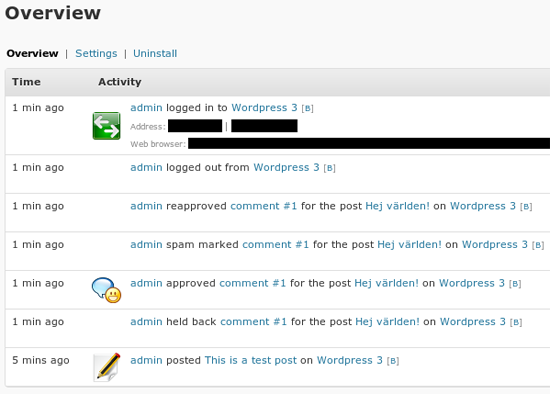
ThreeWP Activity Monitor: Information and download
Database Management
25. Portable phpMyAdmin
Portable phpMyAdmin lets you access phpMyAdmin directly through the admin area. You don’t need to enter any log-in details, making it a quicker way to manage your database than logging into your host’s control panel. Very useful.
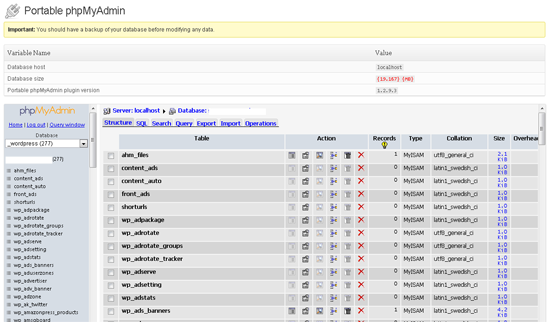
Portable phpMyAdmin: Information | Download
26. WP-DBManager
WP-DBManager is a functional database manager that gives you information on your WordPress database. It also lets you back up the database, optimize it, repair it, run queries and more. It’s geared more to those who aren’t familiar or comfortable with Portable phpMyAdmin.
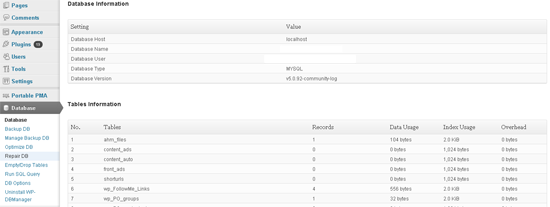
WP-DBManager: Information | Download
SEO
27. All in One SEO Pack
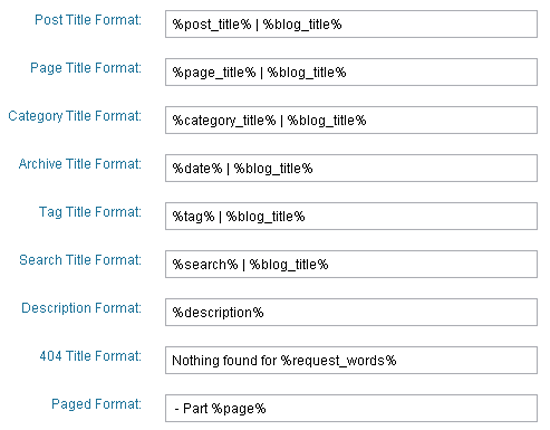
All in One SEO Pack is an easy-to-use SEO solution that works out of the box. It supports custom post types, generates meta tags and optimizes your titles for search engines.
11. WordPress Post Formats Admin UI
Adds a built-in admin interface for post formats. Each tab has been designed to work better with its matching post format. For example, the video tab only has a field for the video’s title and a text area to post the video’s code. Don’t be surprised if you see this built into WordPress’s core in 2012.
WordPress Post Formats Admin UI: Information | Download
12. Audit Trail
A useful of way to track exactly what is happening on your website. Audit Trail shows you what actions users have taken in the order that events have happened. You can track file attachments; manage categories, comments, links, posts and pages; switch themes; and manage user profiles, log-ins and user page visits.
Audit Trail: Information and download
Admin Styling
13. Custom Admin Branding
A quick way to brand the admin area for clients or staff. The log-in logo, admin bar logo and footer logo can easily be changed in the plugin settings page, and you can change the log-in color scheme, too.
Custom Admin Branding: Information and download
14. Fluency Admin
A great admin styling plugin that was toned down last year due to improvements in the default admin style. The plugin lets you upload your logo to the log-in page and admin bar and change the color scheme of the admin area. The admin bar and admin menus can also be customized.
Fluency Admin: Information | Download
Security
15. Login Lockdown
An essential plugin that limits the number of log-in attempts from a user from an IP range within a defined time period. You can adjust the maximum number of retries a user is allowed, the retry time period and the length of time a user is locked out. Details of which users are currently locked out are on the settings page, but unfortunately it doesn’t store this data for future reference (i.e. to track those who repeatedly get locked out).
Login Lockdown: Information | Download
16. Secure WordPress
A security plugin that lets you apply around a dozen tweaks. Tweaks include adding an index file to the plugin directory, removing the version number of your Wordpress installation from all areas, and blocking queries from harmful websites.
Secure WordPress: Information | Download
17. WP Security Scan
Another great security plugin from Website Defender for improving the security of your WordPress-powered website. It provides information on how to make your website more secure in a number of areas, such as making sure important files and directories have the right settings. It can also change some settings directly, such as the table prefix of your database and the default admin user name (which is “admin”).
It can also hide the version of WordPress you are using, and it walks you through why adding an .htaccess file to the wp-admin folder will make the website more secure.
WP Security Scan: Information | Download
Notes And Messaging
18. Private Messages For WordPress
Adds a simple messaging system that allows users to send messages to each other through your website. You can set the number of messages a user group may have or remove its access altogether. A good way to communicate with staff or visitors.
Private Messages For WordPress: Information | Download
19. Dashboard Notepad
Adds a simple dashboard widget to the home page of your admin area. You can specify which user groups can see the widget and which user groups can edit it.
Dashboard Notepad: Information | Download
User Management
20. User Spam Remover
Useful for anyone who has had a problem with registration spam. The plugin automatically deletes spam registrations and accounts that have never been used. You can set the threshold for how many days an account has to be inactive before it is deleted. This prevents legitimate accounts from being deleted.
User Spam Remover: Information | Download
21. WP CMS Post Control
This hides certain controls from user groups. Core functions such as auto-save, revisions and the Flash uploader can be disabled, and you can limit revisions, too. It works similar to Adminimize but is much simpler to use (Adminimize can overwhelm you with options).
WP CMS Post Control: Information and download
22. User Role Editor
One of the most popular role capabilities plugins for WordPress. User Role Editor lets you change the capabilities of each user group. This is useful for restricting what certain user groups can do or for giving them additional responsibilities (for example, by default contributors aren’t allowed to upload images). You can also override the capabilities defined for user groups and change the capabilities of users individually.
User Role Editor: Information | Download
23. Members
Similar to User Role Editor, Members comes with a great role manager feature that lets you control what user groups and individual users can and cannot do. It has additional features such as restricting what users can view in a post and making your website and your feed private.
Members: Information and download
24. ThreeWP Activity Monitor
Allows you to track all activity on your website. The plugin shows successful and failed log-ins for users, content that has been updated, changed passwords and much more. Any time your WordPress database is updated in some way, this plugin will show exactly what has occurred.
ThreeWP Activity Monitor: Information and download
Database Management
25. Portable phpMyAdmin
Portable phpMyAdmin lets you access phpMyAdmin directly through the admin area. You don’t need to enter any log-in details, making it a quicker way to manage your database than logging into your host’s control panel. Very useful.
Portable phpMyAdmin: Information | Download
26. WP-DBManager
WP-DBManager is a functional database manager that gives you information on your WordPress database. It also lets you back up the database, optimize it, repair it, run queries and more. It’s geared more to those who aren’t familiar or comfortable with Portable phpMyAdmin.
WP-DBManager: Information | Download
SEO
27. All in One SEO Pack
All in One SEO Pack is an easy-to-use SEO solution that works out of the box. It supports custom post types, generates meta tags and optimizes your titles for search engines.
All in One SEO Pack: Information | Download
28. WordPress SEO by Yoast
WordPress SEO by Yoast is a feature-rich SEO plugin that lets you adjust page titles, change indexation rules and build an XML site map. It also adds breadcrumbs to your posts in order to improve navigation and SEO.
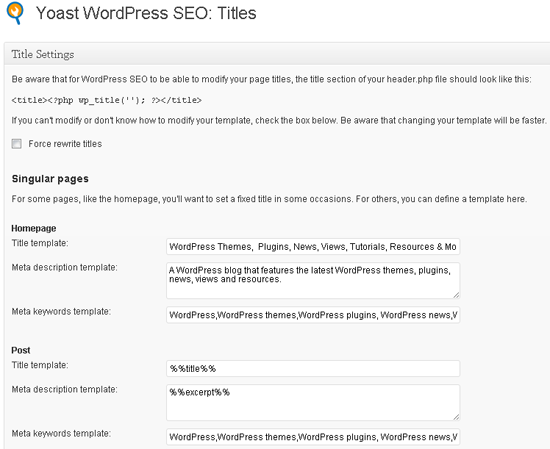
WordPress SEO by Yoast: Information | Download
Speed And Performance
29. W3 Total Cache
Recommended by most hosting companies and used by many large blogs, W3 Total Cache is one of the best ways to cache your pages and speed the performance of your website. It works well with content delivery networks such as MaxCDN, too.
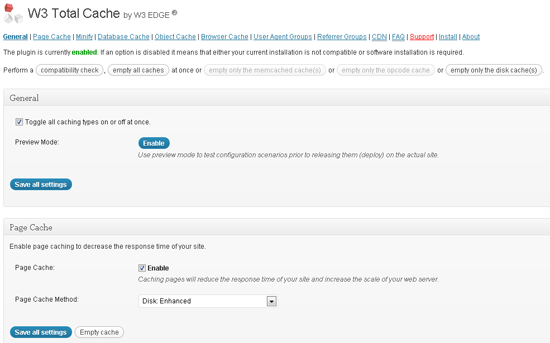
W3 Total Cache: Information and download
30. WP Super Cache
A popular caching plugin that serves static HTML files to the majority of your users. It’s a lot easier to set up than W3 Total Cache, in part due to the option to simply enable caching and use the default settings.
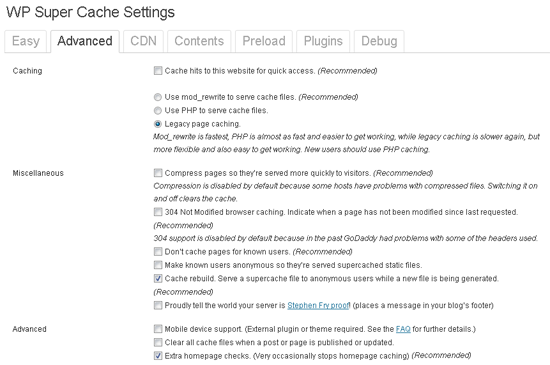
WP Super Cache: Information | Download
Summary
The great thing about WordPress is that the default installation doesn’t overwhelm you with options (although some would prefer it to be even simpler). This approach allows us to choose the plugins that contribute to our particular needs and disregard those that don’t.
You might find that some of these plugins can be disabled after you use them. For example, after using User Spam Remover I disabled registration on my website, so I no longer need it. Likewise, I activate Portable phpMyAdmin only when I need to modify my database, and thus it is deactivated most of the time. I recommend reviewing your situation every month or so and remove any plugins that aren’t being used regularly.
I hope you’ve enjoyed this list of useful admin plugins. If your favourite admin plugin didn’t make the list, please feel free to share it with other Smashing Magazine readers in the comments area.
 (al)
(al)